Category: CRM & Sales Software

  • Free vs Paid CRM: When It Makes Sense to Stop Using the Free Plan

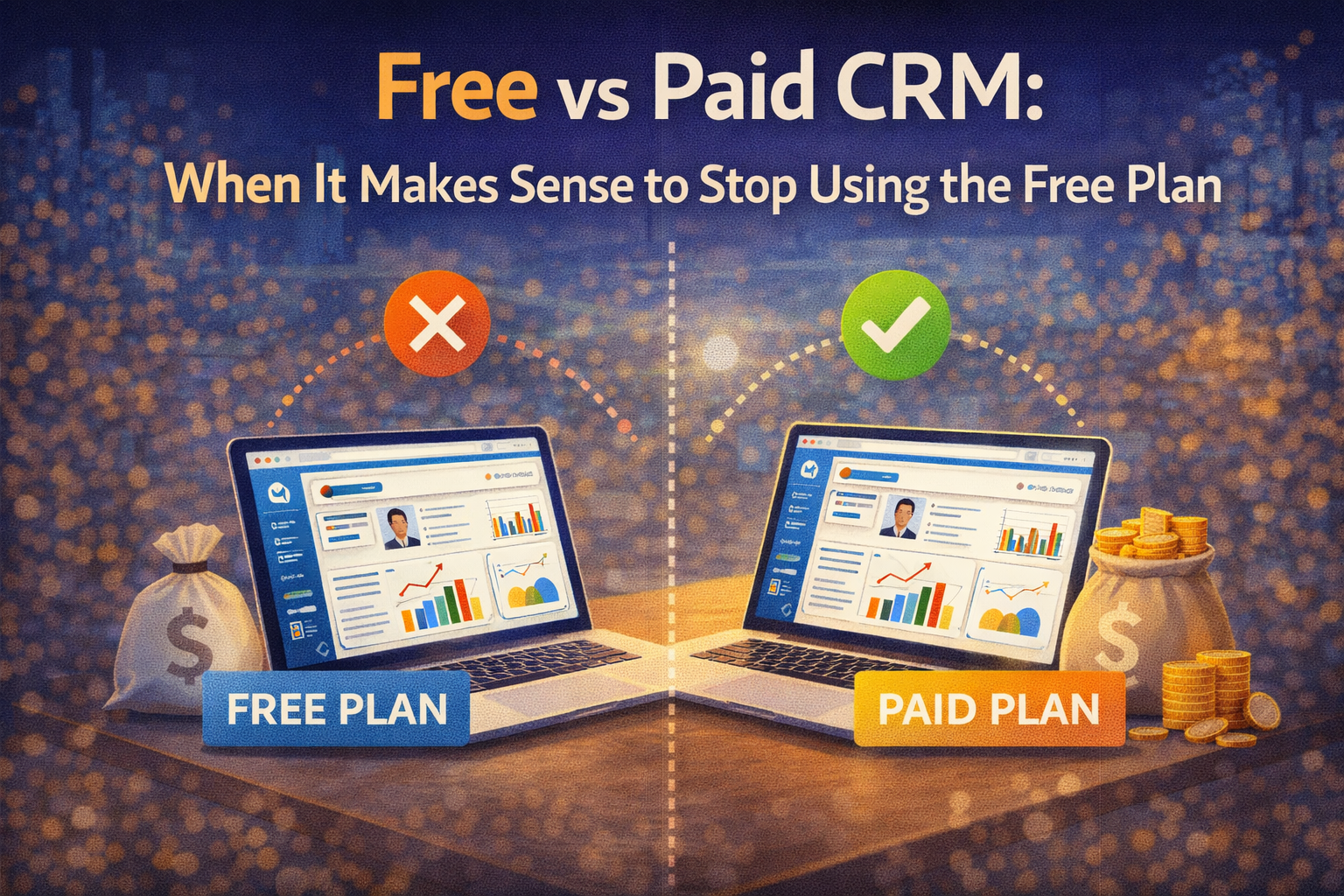
    Free vs Paid CRM: When It Makes Sense to Stop Using the Free Plan

    The free CRM conversation has a specific problem that most advice on the topic doesn’t address honestly — the people telling you to upgrade are usually the ones selling the upgrade. CRM providers design their free tiers with deliberate limitations that create upgrade pressure at predictable points in a business’s growth, and the marketing around those limitations frames them as problems that the paid tier solves rather than trade-offs that may or may not be worth the cost depending on the specific business.

    This post takes a different position. The free CRM tier is the right choice for more businesses and for longer than the upgrade pressure suggests — and the paid tier is genuinely worth the cost for specific reasons that are identifiable in advance rather than discovered after the subscription starts charging. Understanding the difference between a limitation that costs more to accept than to solve and a limitation that’s annoying but acceptable produces better spending decisions than responding to upgrade prompts as they appear.


    What Free CRM Tiers Actually Include in 2026

    The free CRM landscape in 2026 is more generous than it was even three years ago — competition between major providers has pushed the free tier capabilities upward to the point where businesses that previously would have needed a paid plan to get started can now operate effectively on free tools for considerably longer.

    HubSpot’s free CRM is the most referenced benchmark in this category. Unlimited contacts, one pipeline with customizable stages, email integration with open and click tracking, meeting scheduling with a booking link, basic reporting dashboards, and live chat support are all included without a monthly fee. The limitation that most clearly defines the free tier’s ceiling is the absence of email sequences — the automated multi-step follow-up emails that send based on contact behavior — and the cap on some advanced reporting features.

    Zoho CRM’s free tier covers three users with contact management, deal tracking, task management, and basic workflow rules. The three-user cap is the primary constraint — adequate for a solo founder or a very small team but restrictive for any business with more than three people needing CRM access.

    Freshsales’ free tier provides contact and account management, built-in phone and email, and a 21-day trial of paid features that reverts to a genuinely limited free plan afterward. The free plan is more restricted than HubSpot’s and is designed more clearly as a trial entry point than as a sustainable free option.

    Streak’s free tier provides one pipeline and 500 contacts within Gmail — functional for very small businesses and freelancers but limited by both the contact cap and the Gmail dependency for anyone whose client communication happens outside email.

    The practical conclusion from surveying the free tier landscape is that HubSpot’s free CRM is the most genuinely usable free option for the broadest range of business situations — and it’s the free tier against which upgrade decisions are most worth evaluating.


    The Legitimate Reasons to Stay on the Free Plan

    The case for staying on the free CRM tier is stronger than upgrade-motivated content acknowledges, and the businesses that upgrade prematurely consistently report the same pattern — paying for features they rarely use because the upgrade decision was driven by anticipation of future needs rather than current pain points.

    Your team isn’t using the free tier fully yet. The most reliable signal that a paid upgrade is premature is discovering that the free tier features are not being used consistently. A CRM where contacts are incompletely filled in, deal stages haven’t been updated in weeks, and the pipeline dashboard is checked less than once a week is a CRM where the team hasn’t established the habits that make any CRM tier valuable. Upgrading to a paid plan in this situation adds cost without adding value — the limitation is adoption, not features.

    Your sales volume doesn’t justify the cost. For a freelancer generating $5,000 per month in revenue, paying $100 per month for CRM features they use occasionally represents 2% of revenue going to software overhead. For a business generating $50,000 per month in revenue where the CRM directly supports the sales process that generates that revenue, the same $100 represents 0.2% of revenue — a completely different cost-benefit calculation. The absolute cost of a paid CRM tier is less relevant than its proportion of the revenue it supports.

    The specific features you need are available free elsewhere. Some paid CRM features can be replicated with free tools — email sequences that cost $20 per month in HubSpot’s paid tier can be approximated with free Mailchimp campaigns for contacts at specific pipeline stages. Before upgrading for a specific feature, verifying whether a free alternative covers the requirement adequately prevents paying for a platform upgrade to access functionality that didn’t require the upgrade.


    The Signals That a Paid Plan Is Actually Worth It

    The upgrade from free to paid CRM is worth making when specific, identifiable limitations are costing the business more than the upgrade costs. The key word is identifiable — the limitation should be a current, recurring friction rather than a theoretical future need.

    You are manually sending the same follow-up emails repeatedly. Email sequences — the paid feature most commonly cited as the reason HubSpot users upgrade from free to Starter — automate the follow-up emails that convert prospects who don’t respond to initial outreach. If a salesperson is sending the same three-email follow-up sequence manually for every new prospect, the time cost of that manual work is measurable. A salesperson sending twenty follow-up sequences per month at ten minutes per sequence spends three hours per month on work that an email sequence automates completely. At any reasonable value for the salesperson’s time, three hours per month is worth more than $20 per month.

    Your pipeline has grown to a scale where one pipeline isn’t enough. HubSpot’s free tier includes one pipeline — adequate for businesses with a single sales motion but limiting for businesses that have developed multiple distinct sales processes. A business that sells both a self-serve product and an enterprise product through different sales motions needs separate pipelines for each to avoid conflating deal stage data across fundamentally different processes. When the single pipeline limitation is producing data quality problems, the multiple pipeline capability on paid plans is worth the upgrade cost.

    You need reporting that the free tier’s pre-built dashboards don’t cover. The free tier’s reporting answers the standard questions — deals by stage, activities by rep, revenue forecast. When the business needs to answer questions beyond those standards — conversion rates between specific stages, deal velocity by lead source, revenue attribution by marketing channel — the custom report builder on paid plans produces insights that the free tier can’t. The value of those insights against the cost of the paid plan determines whether the upgrade is justified.

    Your team has grown to a size where the free tier’s collaboration limits are creating problems. Some free tier limitations that are invisible at small team sizes become apparent as the team grows — the absence of deal rotation rules, the limited user permission granularity, and the lack of team-specific reporting all affect larger teams more than smaller ones. When the team size creates specific friction that paid features address, the upgrade cost is distributed across the team members who benefit from it.


    The Upgrade Decision Framework

    The framework that produces better upgrade decisions than responding to in-app prompts involves three steps that take about thirty minutes to work through honestly.

    The first step is identifying the specific limitation causing friction. Name the exact feature that the free tier doesn’t provide and that the team is working around manually. “We need better reporting” is not specific enough. “We need to see conversion rates between the proposal sent stage and the closed won stage by lead source, and we can’t build that report on the free tier” is specific enough to evaluate clearly.

    The second step is calculating the cost of not having the feature. Manual email sequences at ten minutes per sequence, twenty sequences per month, and a sales rep valued at $30 per hour costs $100 per month in time — equal to HubSpot’s Starter plan for five users. A pipeline reporting gap that prevents identifying which lead sources convert best doesn’t have a direct time cost but has a revenue opportunity cost if the insight would allow reallocating marketing spend toward higher-converting channels.

    The third step is confirming that the paid plan actually solves the identified limitation. This sounds obvious but is frequently skipped — reading the feature description in the upgrade prompt and assuming it addresses the specific friction without testing whether the implementation matches the need. Most CRM providers allow upgrading on a monthly basis rather than requiring annual commitment — starting a monthly paid plan, verifying that it solves the identified problem, and then committing to annual billing for the discount is a lower-risk upgrade path than committing to annual billing before confirming the fit.


    When Switching Platforms Makes More Sense Than Upgrading

    The upgrade decision within a platform isn’t the only option when the free tier becomes limiting — switching to a different platform’s free tier or paid entry tier sometimes addresses the limitation at lower cost than upgrading within the current platform.

    HubSpot’s paid tier costs are among the higher ones in the CRM category at renewal, and the jump from free to Sales Hub Starter is manageable while the jump to Sales Hub Professional is significant. When the features needed are at the Professional level — advanced automation, custom reporting, and sales operations tools — the cost comparison between HubSpot Professional and Zoho Enterprise or Pipedrive Professional is worth making before committing to the HubSpot upgrade.

    The switching cost consideration cuts in both directions. Switching platforms means migrating contact data, rebuilding pipeline configurations, and retraining the team — costs that are real and that increase with the amount of data and configuration accumulated in the current platform. For a business that has been on HubSpot’s free tier for six months with 500 contacts and a basic pipeline configuration, switching is relatively low-cost. For a business that has been on HubSpot for two years with 10,000 contacts, custom properties, and established team workflows, the switching cost is substantial enough that upgrading within HubSpot may be more economical than switching to a less expensive platform.

    Our Zoho CRM review covers the specific features available at Zoho’s paid tiers in detail for businesses evaluating whether switching to Zoho is a better value than upgrading within HubSpot — the feature-per-dollar comparison at paid tiers is where Zoho’s advantage over HubSpot is most pronounced.


    The Features That Almost Never Justify an Upgrade Alone

    Some paid CRM features that get significant attention in upgrade marketing rarely justify the upgrade cost when evaluated honestly against their actual usage patterns.

    AI-powered lead scoring sounds transformative and produces meaningful value only when the CRM contains enough historical deal data — typically hundreds of closed deals — for the AI to identify patterns that manual review would miss. For small businesses with fewer than fifty closed deals in their CRM history, AI lead scoring produces recommendations based on insufficient data that experienced salespeople can assess more accurately through direct engagement.

    Advanced forecasting at paid tiers provides more sophisticated revenue projection models than the free tier’s probability-weighted pipeline view. For businesses whose sales cycles are consistent and whose deals close predictably, the advanced forecasting adds complexity without adding accuracy. For businesses with variable deal sizes, multiple product lines, and complex sales cycles, the additional forecasting sophistication produces materially better revenue visibility.

    Social media integration — connecting LinkedIn, Twitter, and other social profiles to contact records — is included in various paid tiers and almost never cited as a primary reason for upgrade decisions in user surveys. The feature is useful supplementary information but rarely the data point that drives sales decisions.


    The Practical Answer for Most Businesses

    Most small businesses reading this post are on a free CRM tier that is not fully utilized — the contacts aren’t completely filled in, the pipeline isn’t updated consistently, and the reporting dashboards aren’t being reviewed regularly. For those businesses, the answer to when to upgrade is not yet — the constraint on CRM value is adoption, not features.

    The businesses that genuinely benefit from upgrading are the ones where the free tier is being used consistently, where specific free tier limitations are creating identifiable friction, and where the cost of the paid plan is clearly lower than the cost of the manual work it replaces. Those conditions are specific enough to recognize when they exist — and disciplined enough to resist upgrading before they do.


    The Straight Answer

    Upgrade when the cost of not having a specific paid feature — measured in time, missed revenue, or operational friction — exceeds the cost of the paid plan. Not before. The businesses that get the most from paid CRM tiers are the ones that arrive at them having exhausted the free tier’s value rather than the ones that upgrade in anticipation of needs that may or may not materialize.

    The best way to test whether you’re ready to upgrade is to spend one week tracking every instance where you hit a free tier limitation and estimating the time cost of the manual workaround. If those time costs add up to more than the monthly subscription, the upgrade pays for itself. If they don’t, the free tier is serving the business adequately and the subscription cost is better allocated elsewhere.


    Currently on a free CRM tier and wondering whether a specific paid feature would be worth it for your situation — or already on a paid plan and questioning whether you’re actually using what you’re paying for? Share your specific situation in the comments and we’ll give you a direct assessment.

    Ready to move past the free vs paid question and start evaluating which specific CRM platform fits your business best at the paid tier level? Our best CRM software for small businesses roundup covers the top five platforms side by side — including what each one does best, what it costs at realistic usage levels, and which business profile each one serves most effectively.
  • How to Set Up HubSpot CRM From Scratch (Step-by-Step for Beginners)

    How to Set Up HubSpot CRM From Scratch (Step-by-Step for Beginners)

    Setting up a CRM for the first time is one of those tasks that looks straightforward on paper and produces unexpected friction in practice. The software is installed in seconds, the interface is clean, and the first few steps feel obvious — and then you hit the configuration decisions that require understanding how the CRM should reflect your specific business before you can make them correctly. Without that understanding, most first-time CRM setups result in a system that technically works but doesn’t match how the team actually sells, which is the fastest path to low adoption and eventual abandonment.

    This guide walks through the complete HubSpot CRM setup process in the order that produces a functional, team-ready system rather than just a configured account. Each step explains not just what to do but why the decision matters — because understanding the reasoning behind a configuration choice produces better decisions than following instructions blindly and produces a CRM that reflects your business rather than a generic template.


    Before You Touch the Software: The Thirty-Minute Preparation That Changes Everything

    The most impactful thing you can do before logging into HubSpot for the first time is spend thirty minutes answering four questions on paper. These questions determine the configuration decisions that follow, and answering them before the software is open prevents the common mistake of letting the software’s defaults determine how your sales process works rather than configuring the software to reflect a deliberately designed process.

    The first question is what stages a deal moves through from first contact to closed business. Write down every stage in sequence — initial contact, qualified lead, proposal sent, negotiation, verbal agreement, closed won, closed lost — using your business’s actual language rather than generic sales terminology. This list becomes your pipeline stage configuration.

    The second question is what information you need to know about every contact to sell to them effectively. Beyond the standard name, email, and phone fields, what properties are specific to your business — company size, industry, current software stack, budget range, decision timeline? This list becomes your custom contact property configuration.

    The third question is what activities your sales process requires at each stage — what does the sales rep need to do when a deal moves from initial contact to qualified lead, from proposal sent to negotiation? This list informs the task and automation configuration that makes HubSpot proactively helpful rather than just a passive data repository.

    The fourth question is who needs access to the CRM and what level of access each person needs — who can see all deals, who can only see their own, who needs admin access to configure the system. This determines the user permissions configuration that prevents the data visibility issues that affect team adoption.

    Thirty minutes of honest answers to these questions produces a HubSpot configuration that fits your business from day one rather than requiring painful reconfiguration after the team has already built habits around the wrong setup.


    Step 1: Account Creation and Initial Settings

    Creating a HubSpot account at hubspot.com takes under five minutes. The signup flow asks for your name, email, company name, and the number of employees — answers that HubSpot uses to pre-configure some default settings and to route you to appropriate onboarding resources. Use your business email rather than a personal address — the email domain connects to your company record and affects some integration features.

    After account creation, the first configuration stop is Settings — the gear icon in the top right navigation. Three settings categories deserve attention before doing anything else.

    Account defaults under Settings, Account, Defaults sets the timezone, date format, and currency for the account. Getting these right before entering any data prevents the inconsistency of early records using the wrong timezone or currency formatting. For businesses operating across multiple timezones, set the account default to the timezone where the majority of business activity happens.

    User management under Settings, Users and Teams is where team members are invited and permissions are set. Invite every person who will use the CRM before configuring pipelines and properties — having the full team in the account during configuration allows testing the team member’s view alongside the admin view rather than discovering permission issues after launch.

    Email integration under Settings, General, Email connects HubSpot to your team’s email clients. For Gmail users, the HubSpot Sales Chrome extension handles both email logging and the email tracking features. For Outlook users, the HubSpot Sales Office 365 add-in provides equivalent functionality. Installing the email integration on every team member’s device before the CRM launch means emails are logged from day one rather than after a delayed adoption of the integration.


    Step 2: Configuring Your Pipeline

    The pipeline configuration is the most consequential setup step and the one most commonly done incorrectly by first-time HubSpot users who accept the default stages without adjusting them to reflect their actual sales process.

    Navigate to Settings, Objects, Deals, Pipelines to access the pipeline configuration. The default HubSpot pipeline comes with seven stages — Appointment Scheduled, Qualified to Buy, Presentation Scheduled, Decision Maker Bought-In, Contract Sent, Closed Won, and Closed Lost. These stages reflect a generic enterprise sales process that doesn’t match most small business sales workflows and shouldn’t be kept as-is without evaluation.

    Edit the pipeline stages to match the list you created in the preparation step. Rename stages to use your business’s language rather than HubSpot’s defaults — if your team calls the stage where a proposal has been sent “Proposal Out” rather than “Contract Sent,” use your language. Stage names that reflect how your team talks about deals produce faster adoption than stages that require mental translation between CRM language and sales team language.

    Set the win probability for each stage — the percentage HubSpot uses to weight deals in revenue forecasting. A deal at initial contact might have a 10% probability of closing, a deal where a proposal has been sent might be 40%, and a deal in final negotiation might be 80%. The probabilities don’t need to be precise on day one — they can be refined based on actual conversion data after the CRM has been in use for a few months. Setting reasonable starting probabilities produces a forecasting dashboard that’s immediately useful rather than showing obviously incorrect numbers.

    Add a Closed Lost reason field if it isn’t already configured — the ability to tag why deals are lost produces the most actionable data in the entire CRM. Lost deals analyzed by reason reveal patterns — price objections, competitor losses, timing issues, product fit gaps — that inform strategy in ways that win rate alone doesn’t. Configuring this from the start captures the data that’s most valuable for business improvement.


    Step 3: Custom Properties for Contacts and Companies

    HubSpot’s default contact properties cover the standard fields — first name, last name, email, phone, company, job title, lifecycle stage. For most businesses, the standard properties are a starting point rather than a complete set. The custom properties you add reflect the information specific to your business that the default set doesn’t capture.

    Navigate to Settings, Properties to access the property configuration. Custom properties can be added for contacts, companies, deals, and tickets — the four primary objects in HubSpot’s data model.

    The properties worth adding for most businesses are the ones that appeared on your preparation list — the information needed to qualify a lead, personalize communication, and make informed decisions about deal prioritization. For a B2B software business this might include current software stack, contract renewal date, and annual software budget. For a professional services firm it might include company revenue range, number of employees, and the specific service category they need.

    Keep the custom property list focused — every property added creates a field that someone needs to fill in, and the gap between the properties configured and the properties actually kept current reflects the adoption quality of the CRM. Adding twenty custom properties that the team fills in for fewer than half of contacts produces incomplete data that’s less useful than fewer properties filled in consistently. Start with five to eight genuinely important custom properties and add more as the team demonstrates consistent completion of the initial set.

    Property groups organize related properties into sections on the contact and company records. Creating a group called “Qualification Information” that contains the fields relevant to lead qualification, and a group called “Company Details” that contains firmographic data, makes the record layout easier to navigate than a flat list of all properties.


    Step 4: Importing Existing Contacts

    Most businesses setting up HubSpot for the first time have an existing contact list — a spreadsheet of clients and prospects, an export from a previous CRM, or a collection of business card data that has never been organized systematically. Importing this data before the team starts using the CRM means the system is useful from day one rather than starting empty.

    Navigate to Contacts, then Import to access the import tool. HubSpot accepts CSV files for contact and company imports. The import process maps columns in your CSV to HubSpot properties — matching the column headers in your spreadsheet to the appropriate HubSpot fields. Custom properties created in Step 3 are available for mapping, which means data in your existing spreadsheet that corresponds to custom properties can be imported directly rather than requiring manual entry after import.

    Before importing, clean the data in your spreadsheet. Remove obvious duplicates, standardize email address formatting, and ensure the columns you want to import have consistent formatting. A clean import produces a useful starting database. An import of messy data produces a messy CRM that requires cleanup work before it’s useful — work that’s more time-consuming to do inside HubSpot than in a spreadsheet before import.

    After import, run HubSpot’s duplicate management tool — accessible through Contacts, Actions, Manage Duplicates — to identify and merge any duplicate records that survived the pre-import cleanup. HubSpot identifies potential duplicates based on matching email addresses and similar name combinations and presents them for review rather than automatically merging, which preserves the data integrity decision for the user.


    Step 5: Setting Up Basic Automation

    Automation in HubSpot converts the CRM from a passive data repository into a system that proactively supports the sales process. The automation setup at launch doesn’t need to be comprehensive — starting with three to five automations that address the most repetitive manual tasks produces immediate time savings and demonstrates the CRM’s practical value to the team.

    Navigate to Automation, Workflows to access the workflow builder. HubSpot’s workflow builder uses a visual if-then logic interface that most non-technical users can navigate after a few minutes of familiarization.

    The first automation worth building is a task creation workflow that fires when a deal is created — automatically creating a follow-up task for the deal owner within 24 hours of the deal being added to the pipeline. This automation ensures that no new deal sits without an assigned next action, which is the most common pipeline management failure for businesses without CRM discipline.

    The second automation worth building is a deal stage notification — when a deal moves to a specific high-priority stage, such as proposal sent or contract negotiation, a notification is sent to the deal owner and optionally to a manager. This automation surfaces high-priority deals for attention without requiring manual pipeline review to identify them.

    The third automation worth building is a lead assignment rule — when a new contact is created and meets specific criteria, it’s automatically assigned to the appropriate sales rep based on territory, industry, or company size. For teams with multiple salespeople and defined assignment rules, this automation eliminates the manual process of checking who should own each new lead.


    Step 6: Connecting Your Tools

    HubSpot’s value compounds when it’s connected to the other tools the team uses daily. The integrations worth setting up at launch rather than deferring are the ones that affect data completeness from day one.

    The Gmail or Outlook integration installed in Step 1 is the most impactful. Confirming that every team member has installed the email extension and that emails are logging correctly before the official CRM launch prevents the data gap that comes from the first weeks of activity being unrecorded.

    The calendar integration — connecting Google Calendar or Outlook Calendar to HubSpot — enables the meeting scheduling feature that generates a booking link for contacts to schedule calls without back-and-forth email coordination. For teams that conduct discovery calls or client meetings regularly, the booking link eliminates one of the most common sources of sales process friction.

    If the business uses Slack, the HubSpot-Slack integration sends CRM notifications — deal updates, task reminders, new contact assignments — directly to Slack channels rather than requiring team members to monitor HubSpot notifications separately. For teams that live in Slack throughout the workday, this integration keeps CRM activity visible without additional context switching.


    Step 7: Training the Team and Establishing Habits

    The technical configuration of HubSpot is the easier half of a successful CRM implementation. The harder half is establishing the team habits that keep the CRM data current and complete — because the value of the CRM is directly proportional to the quality and completeness of the data in it.

    A one-hour training session before the CRM launch covers the core workflows each team member needs to execute daily — logging calls, updating deal stages, completing tasks, and reviewing the pipeline dashboard. Keeping the training focused on daily workflows rather than comprehensive feature coverage produces faster initial adoption than attempting to train everything at once.

    Establishing a weekly pipeline review meeting that uses HubSpot data as the primary input creates the accountability structure that maintains CRM usage over time. When the pipeline review uses HubSpot as the source of truth, deals that aren’t updated in the CRM become invisible in the review — which motivates consistent updates more effectively than any policy or directive can.

    Our HubSpot review covers the specific features that become most valuable after the initial setup phase — including the paid tier features that are worth considering once the team has established consistent free tier usage habits.


    Step 8: The First Thirty Days

    The first thirty days after CRM launch are the most important for long-term success — the habits formed in this window tend to persist, and the gaps that develop in this window tend to compound. Three specific practices during the first thirty days produce better long-term outcomes than any configuration improvement after launch.

    Check the pipeline dashboard every morning — five minutes reviewing which deals moved, which tasks are due today, and which contacts need follow-up establishes the daily CRM habit that makes the tool genuinely useful rather than periodically consulted.

    Log every significant client and prospect interaction in real time rather than at the end of the day. The accuracy and completeness of logged interactions is highest when they’re recorded immediately and declines sharply when they’re reconstructed from memory hours later.

    Review the contacts with no recent activity weekly and either update them or disqualify them. Stale contacts that accumulate without resolution produce a database that looks larger than it is useful, and the weekly cleanup habit keeps the pipeline representing actual opportunities rather than historical wishful thinking.


    Starting Right Is Easier Than Fixing Later

    CRM implementations that launch with the right configuration, clear team habits, and an accountability structure produce compounding value from month two onward. Implementations that launch quickly without the preparation and configuration work described here produce a system that gradually fills with incomplete data, develops adoption gaps as the team reverts to pre-CRM habits, and eventually requires either a painful reconfiguration or a platform switch that starts the process over.

    The hour spent on preparation before touching the software, the care taken in pipeline and property configuration, and the investment in team training and habit formation at launch produce returns that make every subsequent month of CRM use more valuable than the previous one.


    Setting up HubSpot for the first time and stuck on a specific configuration decision, or already set up but finding that team adoption isn’t where you want it? Describe the specific challenge in the comments and we’ll help you work through it.

    Got HubSpot configured and the team using it consistently — now wondering whether the free plan still covers everything or whether a specific limitation is starting to slow the sales process down? Our free vs paid CRM guide identifies the exact upgrade triggers that tell you when paying for more features changes the outcome rather than just adding to the software budget.

  • The Best CRM for Freelancers in 2026: Simple, Affordable, and Actually Useful

    The Best CRM for Freelancers in 2026: Simple, Affordable, and Actually Useful

    Freelancers have a CRM problem that’s different from the one small businesses have, and most CRM guides miss this distinction entirely. The platforms that appear at the top of every “best CRM” list are built for sales teams — multiple users, shared pipelines, manager dashboards, team activity reporting. These features are irrelevant to a freelancer managing client relationships solo, and paying for them while using a fraction of the platform’s actual capability is one of the more common software mistakes that independent professionals make.

    The CRM a freelancer actually needs is simpler in some ways — one user, straightforward client tracking, basic pipeline management — and more specific in others. It needs to integrate with the tools a freelancer actually uses, handle the client lifecycle from prospect to active project to completed work to repeat business, and cost an amount that makes sense against a freelance income rather than a company software budget. Finding the platform that matches that description requires filtering out the enterprise-oriented noise that dominates CRM marketing and focusing on what independent professionals actually need from client management software.


    What a Freelancer Actually Needs From a CRM

    Before evaluating specific platforms, being precise about the freelancer CRM requirement set prevents the mistake of evaluating platforms against criteria that don’t apply to independent work.

    Contact and client management is the foundation — storing client information, project history, communication notes, and follow-up reminders in a single place rather than across email threads, a contacts app, and sticky notes. The organizational benefit of this consolidation is the most immediately practical value a CRM provides for a freelancer, and it’s available on even the simplest platforms.

    Pipeline management for a freelancer looks different from a sales team pipeline. The stages are typically prospect, proposal sent, negotiation, active project, completed, and follow-up for repeat work — a lifecycle that combines sales and project management in a way that standard CRM pipelines don’t always accommodate cleanly. Platforms that allow full pipeline customization handle this better than those with rigid default stage structures.

    Email integration matters because client communication happens primarily through email and manually logging every email interaction defeats the time-saving purpose of using a CRM. Automatic email logging — where sent and received emails appear on the relevant client record without manual entry — is the feature that separates genuinely useful freelancer CRM tools from ones that create more work than they save.

    Invoicing or invoicing integration is a requirement that enterprise CRM platforms ignore entirely but that freelancers need to manage as part of the same client relationship workflow. Platforms that connect CRM and invoicing — either natively or through tight integration — eliminate the friction of managing client relationships in one tool and billing in another.

    Affordability is the final requirement that shapes the entire evaluation. A freelancer paying $50 to $100 per month for CRM software that a five-person sales team would use for the same price is paying a premium for unused capacity. The right freelancer CRM costs between zero and $25 per month — the range where the value clearly exceeds the cost for a solo professional.


    1. HubSpot Free CRM — Best for Freelancers Starting Out

    HubSpot’s free CRM is the starting recommendation for freelancers for the same reason it leads the small business ranking — the free tier is genuinely useful rather than strategically limited, and the cost of zero is the most compelling pricing available for an independent professional who doesn’t yet know whether structured client management will change how they work.

    The unlimited contacts on the free tier mean a freelancer with a large network of past clients, current clients, and prospects can store everyone without hitting a wall that forces a paid upgrade. The deal pipeline with customizable stages handles the freelancer client lifecycle — adjusting the default deal stages to match prospect through completed project is a five-minute configuration that makes the pipeline immediately relevant rather than generic.

    The email integration with Gmail and Outlook logs sent emails against contact records automatically after a one-time browser extension installation. The meeting scheduling tool generates a booking link that eliminates the back-and-forth of scheduling client calls — a specific pain point for freelancers who manage their own calendar without an assistant.

    The limitation that freelancers encounter most quickly on HubSpot’s free tier is the absence of email sequences — the automated follow-up email series that prompt prospects who haven’t responded to a proposal. This limitation pushes freelancers toward the paid Sales Hub Starter at $20 per month when follow-up automation becomes a clear time saver. The upgrade decision is gradual and clear rather than forced, which makes the free tier a genuine starting point rather than a trial with an artificial expiration.

    Best for: Freelancers starting with structured client management for the first time, independent professionals with large contact networks, those who want zero financial commitment while evaluating whether CRM changes how they work.


    2. Streak — Best for Freelancers Who Live in Gmail

    For freelancers whose entire client communication happens through Gmail, Streak eliminates the fundamental friction of every other CRM — the requirement to switch between email and a separate application to log interactions and update client status.

    Streak adds a CRM layer directly inside Gmail. The pipeline view appears in the Gmail sidebar. Client records are accessible from within email threads. Deal stages update without leaving the inbox. For a freelancer who checks Gmail dozens of times per day and manages client relationships primarily through email, Streak’s zero-context-switching model produces adoption rates that standalone CRM tools rarely match for solo professionals.

    The free tier covers individual users with one pipeline and 500 contacts — adequate for a freelancer with a manageable client base who wants to evaluate the tool before committing. The Pro plan at $15 per month removes contact limits, adds multiple pipelines, and enables email tracking that shows when clients open sent emails — a feature that helps freelancers time follow-ups to moments when client attention is confirmed rather than guessing.

    The Gmail dependency is the obvious limitation. Freelancers using Outlook, those who want a standalone CRM interface with richer visualization, or those with client management requirements that exceed what an email-embedded tool can handle are better served by other platforms. For the specific profile of a Gmail-centric freelancer with an email-heavy client communication style, Streak is the most naturally adopted CRM available.

    Best for: Gmail-dependent freelancers, independent professionals whose client relationships live entirely in email, those who want CRM without the habit formation required to use a separate application.


    3. Bonsai — Best All-in-One for Freelancers Who Want CRM and Business Management Together

    Bonsai is the platform built specifically for freelancers rather than adapted from a small business or enterprise tool, and that specificity produces a feature set that matches the freelance workflow more naturally than any general-purpose CRM can.

    The client management in Bonsai combines CRM-style contact and project tracking with the invoicing, contract management, time tracking, and expense tracking that freelancers manage as part of every client relationship. A prospect tracked in Bonsai as a lead can move through proposal, contract signing, active project management, time tracking, and invoicing within a single platform rather than requiring separate tools for each function.

    The proposal and contract features are the most distinctive elements of Bonsai’s offering relative to general CRM tools. Creating a proposal with scope, timeline, and pricing, sending it for electronic signature, and converting a signed proposal into an active project and an invoice are all native Bonsai workflows that no CRM platform handles without significant integration work. For freelancers whose primary client management pain points include contract management and invoicing alongside pipeline tracking, Bonsai’s all-in-one approach eliminates the tool fragmentation that characterizes most freelance business management setups.

    Pricing starts at $21 per month for the Starter plan, which covers unlimited clients and projects, invoicing, contracts, and basic reporting. The Professional plan at $32 per month adds automation, client portal access, and subcontractor management. The pricing reflects the breadth of functionality included — compared to paying separately for a CRM, invoicing software, and contract management, Bonsai’s combined pricing is typically lower than the sum of specialized tools.

    The limitation is the depth trade-off that comes with all-in-one platforms. Bonsai’s CRM functionality is less sophisticated than HubSpot’s or Zoho’s — the pipeline management, automation, and reporting are adequate for freelance use but wouldn’t satisfy a small business with a defined sales team. For a freelancer whose CRM requirements are straightforward, the depth trade-off is acceptable. For a freelancer who has grown into a small agency with multiple team members and a genuine sales process, Bonsai’s CRM layer becomes limiting.

    Best for: Freelancers who want to replace multiple separate tools with one platform, independent professionals whose workflow includes proposals, contracts, and invoicing alongside client tracking, those who prioritize workflow integration over CRM depth.


    4. Notion CRM Templates — Best for Freelancers Who Want Full Customization at Low Cost

    Notion is not a CRM — it’s a flexible workspace tool that can be configured as a CRM using database templates that are either built from scratch or downloaded from the Notion template community. The distinction matters because Notion requires more initial setup than a purpose-built CRM, but it produces a client management system that’s fully customized to a specific freelancer’s workflow rather than constrained by a platform’s predefined structure.

    The freelancer CRM templates available in Notion’s template gallery cover contact management, project pipeline, client communication logs, and follow-up tracking in configurations that are immediately usable after minor customization. The database relationships in Notion — linking a client record to its associated projects, invoices, and communications — produce a connected view of each client relationship that approaches CRM functionality without the CRM pricing.

    Notion’s free tier is genuinely usable for individual freelancers — unlimited pages and blocks for one user covers the client management database without requiring a paid plan. The Plus plan at $10 per month adds unlimited file uploads and more collaboration features that solo freelancers rarely need. The total cost of a Notion-based CRM is therefore $0 to $10 per month — the lowest in this comparison.

    The honest limitation is that Notion requires meaningful setup time to build a CRM configuration that matches a specific workflow. Users who want a CRM that works immediately without configuration should look elsewhere. Users who enjoy building systems and want a client management setup that reflects exactly how they work rather than how a software company thinks they should work will find Notion’s flexibility a feature rather than a limitation.

    Best for: Freelancers who already use Notion for other business functions, independent professionals who want to build a custom client management system without recurring software costs, those comfortable with database setup in exchange for full workflow customization.


    5. Pipedrive — Best for Freelancers With Active Sales Pipelines

    Pipedrive appears on the freelancer list specifically for the profile of freelancer that most CRM guides overlook — the independent professional with an active outbound sales pipeline rather than a purely inbound client acquisition model.

    A freelance consultant who actively prospects for new clients, manages a pipeline of warm leads through proposal and negotiation stages, and tracks conversion rates to optimize their business development approach has CRM needs that are closer to a small sales team than to a passive freelancer waiting for referrals. For this profile, Pipedrive’s best-in-class pipeline visualization and activity management produce more value than the simpler tools designed for lighter client management needs.

    The Essential plan at $14 per user per month provides the pipeline management and activity tracking that active freelance business development requires. The email integration logs communications automatically and the activity reminder system surfaces the right follow-up action at the right time. For a freelancer whose business depends on consistent outbound activity, Pipedrive’s activity-first design philosophy produces better pipeline discipline than tools designed for reactive client management.

    The limitation for freelancers with lighter CRM needs is that Pipedrive’s paid entry price — $14 per month versus HubSpot’s free tier — is harder to justify when the primary need is basic contact organization rather than active pipeline management. Our best CRM software for small businesses post covers how Pipedrive compares at the team level for freelancers who have grown into a small agency and are evaluating team-level CRM options.

    Best for: Freelancers with active outbound sales pipelines, independent consultants who track business development systematically, those whose revenue depends on pipeline discipline rather than passive referrals.


    The Honest Framework for Choosing

    The choice between these five platforms comes down to three honest questions about how you actually work rather than how you think you should work.

    Where does your client communication happen primarily? If the answer is Gmail, start with Streak before evaluating anything else. If the answer is a mix of email and other channels, HubSpot’s integration breadth handles the diversity better.

    Do you need CRM only, or do you need CRM plus invoicing, contracts, and project management? If the answer is CRM only, HubSpot or Pipedrive depending on your sales activity level. If the answer is the full stack, Bonsai eliminates the multi-tool overhead that most freelancers tolerate unnecessarily.

    Are you willing to pay for CRM from day one, or do you want to prove the value before spending anything? If the answer is the latter, HubSpot free or Notion are the rational starting points. If you’re willing to pay for a better fit from day one, Bonsai or Pipedrive depending on the use case above.


    What This Actually Comes Down To

    The best CRM for a freelancer is not the most powerful one available — it’s the one that reduces the administrative overhead of client management enough to justify the time spent using it. For most freelancers, that means starting free with HubSpot or Streak, using it consistently for sixty days, and then making an informed decision about whether a paid platform’s additional features address actual pain points rather than theoretical ones. Paying for software before identifying the specific problem it solves is the most common freelance software mistake — and CRM is the category where that mistake is most expensive.


    What does your current client management setup look like — spreadsheet, email folders, memory, or an actual CRM? Leave a comment with what’s working and what isn’t. It helps us understand what to cover in more depth for the freelance audience specifically.

    Already using HubSpot’s free tier and wondering whether the paid upgrade is worth it for your freelance practice — or not sure whether you’re hitting a platform limitation or just a habit problem? Our free vs paid CRM guide covers the exact signals that tell you when the free plan has genuinely stopped serving the business and when paying more actually changes the outcome.

  • The Best CRM Software for Small Businesses in 2026

    The Best CRM Software for Small Businesses in 2026

    Finding the best CRM for a small business is harder than it should be. The review landscape is dominated by affiliate-driven rankings that put whoever pays the highest commission at the top of the list regardless of actual performance, and the “best CRM” articles that appear in most search results read identically because they’re covering the same platforms in the same order with the same conclusions. This post takes a different approach — ranking CRM platforms based on what actually matters for small businesses specifically, with honest assessments of where each platform excels and where it falls short rather than uniformly positive coverage of every product on the list.

    The rankings cover five platforms that represent the realistic options for small businesses in 2026 — not an exhaustive list of every CRM that exists, but the five that appear most frequently in genuine small business evaluations and that have earned their consideration through actual product quality rather than marketing spend.


    What the Rankings Are Based On

    Before getting into the platforms themselves, being clear about the evaluation criteria makes the rankings more useful than a list without context.

    Ease of adoption is weighted heavily because the most common reason CRM implementations fail at small businesses is not that the software is bad — it’s that the team doesn’t use it consistently enough to make the data useful. A CRM that the team actually uses with incomplete features produces better outcomes than a CRM with every feature that the team uses reluctantly and inconsistently.

    Feature depth at realistic price points matters because small businesses have real budgets and the features available at a $25 per user per month plan affect more businesses than the features available at a $150 per user per month plan. The rankings reflect what each platform delivers at price points that small businesses can justify without a dedicated software budget line.

    Total cost of ownership over two years — including renewal pricing, required add-ons, and the implementation cost in time if not in money — is more relevant than the monthly per-seat price that most comparisons lead with.

    Support quality at standard plan levels matters specifically because small businesses typically don’t purchase premium support packages and need the standard support channel to be responsive and helpful.


    1. HubSpot CRM — Best Overall for Small Businesses

    HubSpot earns the top position not because it’s the most powerful CRM on this list — it isn’t — but because it consistently delivers the best combination of usability, genuine free tier value, and a paid upgrade path that grows with the business without requiring a platform switch.

    The free CRM covers the core needs of most small businesses completely — unlimited contacts, deal pipeline, email integration with tracking, meeting scheduling, and basic reporting without a monthly fee. The team adoption that HubSpot’s clean interface produces means the CRM data stays current, which makes every feature more useful than it would be on a more powerful platform with lower adoption rates.

    The paid tiers — Sales Hub Starter at $20 per seat per month and Sales Hub Professional at $100 per seat per month — add email sequences, advanced automation, and detailed reporting at price points that are higher than Zoho’s equivalent tiers but lower than Salesforce’s. The upgrade path is gradual enough that businesses can add paid features as specific limitations become apparent rather than committing to the full cost upfront.

    The primary limitation that keeps HubSpot from being universally recommended is the paid tier cost at scale. A ten-person team on Sales Hub Professional pays $1,000 per month — a meaningful expense that some small businesses find difficult to justify. For teams that stay within the free tier’s capabilities or on Sales Hub Starter, the cost concern doesn’t materialize. For teams that grow into Professional requirements, the cost is real and worth modeling before committing to the platform.

    Best for: First-time CRM users, teams prioritizing adoption speed, businesses that want a free starting point with a clear paid upgrade path.


    2. Zoho CRM — Best Value for Feature-Conscious Buyers

    Zoho CRM earns the second position specifically on the strength of its feature-to-price ratio — the most consistent advantage it holds over every competing platform at equivalent price points.

    The Professional plan at $23 per user per month provides automation depth, pipeline flexibility, and reporting capability that HubSpot charges more to access. For a five-person team, the annual difference between Zoho Professional and HubSpot Sales Hub Starter is $420 — money that’s real for a small business budget even if it’s less significant than the feature comparison in isolation.

    The Enterprise plan at $40 per user per month unlocks customization capabilities — custom modules, Blueprint process management, and Zia AI insights — that approach Salesforce’s functionality at a fraction of the cost. For businesses that need genuine CRM customization depth without enterprise pricing, Zoho Enterprise is the most compelling option in the market.

    The limitation that consistently holds Zoho back in head-to-head evaluations is the interface and usability gap with HubSpot. New users take longer to become productive, the configuration investment to access the platform’s full capability is higher, and the adoption rate in the first months of deployment is typically lower than HubSpot’s. For businesses with a technically capable person handling configuration and a willingness to invest in proper onboarding, Zoho’s feature advantages pay off. For businesses that need the CRM running quickly with minimal setup, that investment is a genuine barrier.

    Best for: Technically comfortable teams, businesses already using Zoho’s suite products, buyers who prioritize feature depth per dollar over interface polish.


    3. Pipedrive — Best for Pure Sales Pipeline Management

    Pipedrive occupies a specific and well-defined position in the CRM market — it’s the platform built specifically for managing sales pipelines rather than for comprehensive customer relationship management, and that focus produces a product that’s better at the pipeline visualization and deal management aspects of CRM than any other platform on this list.

    The pipeline view in Pipedrive is the most intuitive deal management interface available. The visual representation of deals moving through stages, the activity reminders that surface the right action at the right time, and the focus on moving deals forward rather than on comprehensive contact management make Pipedrive the tool that sales-focused teams adopt most quickly and use most consistently.

    Pricing starts at $14 per user per month for the Essential plan — lower than HubSpot’s first paid tier and lower than Zoho Professional. The Advanced plan at $29 per user per month adds email sequences and automation. The Professional plan at $59 per user per month adds AI-powered sales assistance and deeper reporting. The pricing is consistent without introductory rate shock, which makes long-term cost modeling more straightforward than with platforms that use aggressive promotional pricing.

    The limitation is intentional rather than a gap — Pipedrive deliberately doesn’t try to be a marketing automation platform or a customer service tool. Businesses that need those capabilities alongside CRM need to integrate Pipedrive with separate tools for each function, which adds integration overhead and cost that platforms with native marketing capabilities don’t require. For businesses that want a pure sales pipeline tool and are comfortable integrating other tools for marketing and support, the limitation is a feature rather than a bug.

    Best for: Sales-focused teams that want the best pipeline visualization available, businesses that don’t need marketing automation integrated with their CRM, users who value simplicity and focus over feature breadth.


    4. Freshsales — Best for Businesses That Want AI Without Enterprise Pricing

    Freshsales — the CRM product from Freshworks — has built a reputation for integrating AI-powered features at price points that make them accessible to small businesses rather than reserving them for enterprise tiers.

    The Growth plan at $15 per user per month includes Freddy AI — Freshworks’ AI assistant — for lead scoring, deal insights, and next-best-action recommendations. Getting AI-powered sales intelligence at $15 per user per month is genuinely distinctive — competing platforms typically reserve AI features for plans costing two to three times more per seat.

    The interface is clean and modern — closer to HubSpot’s usability standard than Zoho’s information-dense approach — which means the adoption friction that affects Zoho deployments is less of a concern with Freshsales. The onboarding experience is guided and the default configuration is usable without significant setup work.

    The limitation that keeps Freshsales off the top two positions is ecosystem depth. The integration library is narrower than HubSpot’s and the community of users sharing configurations and best practices is smaller — which means finding solutions to specific configuration challenges requires more original problem-solving than on platforms with larger user communities. For businesses with standard CRM requirements that fit within Freshsales’ native capabilities, this limitation is rarely encountered. For businesses with specific integration or configuration requirements, the thinner ecosystem becomes apparent.

    Best for: Small businesses that want AI-powered sales insights without enterprise pricing, teams that value a clean interface and guided onboarding, businesses whose integration requirements are covered by Freshsales’ native library.


    5. Streak — Best for Businesses Living in Gmail

    Streak is the CRM that exists entirely within Gmail — it adds CRM functionality directly to the Gmail interface rather than operating as a separate application that connects to email. For businesses whose sales process happens primarily through email and whose team lives in Gmail throughout the workday, Streak eliminates the context switching that every other CRM requires.

    The pipeline view in Streak sits directly in the Gmail sidebar. Contacts are managed from the same interface used for email. Deal stages update from within Gmail threads. The entire CRM interaction happens without opening a separate application — which produces adoption rates among Gmail-centric teams that no standalone CRM can match because there’s no habit formation required to use a separate tool.

    The free tier covers individual users with basic CRM functionality. The Pro plan at $15 per user per month adds shared pipelines, custom fields, and email tracking. The pricing is accessible and the value for Gmail-centric teams is high relative to cost.

    The limitation is the Gmail dependency — Streak is only useful for teams that use Gmail and are comfortable managing their sales process within the email interface. Businesses using Microsoft Outlook, businesses that want a standalone CRM interface with richer visual pipeline management, or businesses with complex CRM requirements that exceed what an email-embedded tool can provide are better served by any of the other platforms on this list. Our HubSpot reviewcovers the feature gap between a full-featured CRM platform and Gmail-embedded tools in more detail for businesses trying to assess whether that gap matters for their specific workflow.

    Best for: Freelancers and small teams that live in Gmail, businesses with email-centric sales processes, users who want zero context switching between email and CRM.


    The Summary Ranking

    Pulling the five platforms into a direct ranking with honest reasoning produces a clearer picture than a five-way tie where every platform is described as best for different things.

    HubSpot is first because it delivers the best combination of free tier value, usability, and paid upgrade path for the broadest range of small business situations. Zoho is second because its feature-per-dollar advantage is real and meaningful for businesses that have the technical comfort to access it. Pipedrive is third because its pipeline focus produces the best sales management experience for teams that know what they want and don’t need the breadth of a full CRM platform. Freshsales is fourth because its AI integration at accessible price points is genuinely distinctive even if the ecosystem depth doesn’t match the top two. Streak is fifth not because it’s a weak product but because its Gmail dependency limits its applicability to a specific subset of small businesses where it’s genuinely the best option.

    The ranking is not meant to suggest that lower-ranked platforms are inferior products — Pipedrive, for example, is better than HubSpot for the specific use case of pure sales pipeline management. The ranking reflects which platform serves the broadest range of small business CRM needs most reliably.


    What None of Them Do Automatically

    Every platform on this list requires the same ingredient that the software itself can’t provide — consistent use by the people responsible for customer relationships. CRM data is only as useful as the completeness and currency of what’s entered into it, and the adoption habits that produce complete and current data require management attention and process discipline that no software feature replaces.

    The best CRM for your business is the one your team will actually use. If that consideration overrides every other factor in the ranking above, it should — a consistently used simple CRM produces better business outcomes than an inconsistently used sophisticated one every time.


    The Real Answer

    The best CRM for most small businesses reading this post is HubSpot’s free tier — start there, use it consistently for three months, and then evaluate which specific limitations you’ve encountered before deciding whether to upgrade within HubSpot or switch to a platform whose strengths better match the gaps you’ve identified in practice. That process produces better CRM decisions than any comparison article can, because it’s based on your actual usage patterns rather than feature lists evaluated in the abstract.


    Which CRM is your business currently using — and what made you choose it over the alternatives? Share in the comments. Honest experiences from real users are more useful than any ranking, and we read every response.

    Decided on HubSpot as your starting point but not sure how to get it set up correctly from day one? Our step-by-step HubSpot setup guide walks through the complete configuration process — from pipeline stages to automation to team onboarding — so the CRM reflects how your business actually sells rather than a generic template that the team works around instead of with.

  • HubSpot vs Zoho CRM: Which One Gives You More for Less in 2026

    HubSpot vs Zoho CRM: Which One Gives You More for Less in 2026

    HubSpot and Zoho CRM are the two platforms that appear most consistently in the same conversation when small businesses are looking for a CRM that doesn’t cost what Salesforce costs. Both are legitimate products with real capabilities and real user bases. Both have free tiers that let you evaluate them without a financial commitment. And both are recommended constantly by people whose experience with one platform leads them to recommend it without having seriously evaluated the other.

    This comparison cuts through that dynamic by examining both platforms against the specific criteria that matter for small businesses making a real CRM decision — not which platform has more features in absolute terms, but which platform gives more usable value for the money across the scenarios that small business users actually encounter.


    The Core Tension Between the Two Platforms

    HubSpot and Zoho approach the CRM problem from different philosophical starting points, and that difference produces the specific trade-offs that define this comparison.

    HubSpot’s philosophy is that CRM adoption is the hardest part of CRM implementation — that the most powerful CRM in the world produces no value if the sales team doesn’t use it consistently. Every HubSpot design decision reflects an investment in reducing friction between the user and the CRM task they need to complete. The interface is clean, the onboarding is guided, and the default configuration is useful enough to start with rather than requiring setup work before the tool delivers value.

    Zoho’s philosophy is that feature depth and customization flexibility are what distinguish a CRM that serves a business well from one that forces the business to adapt its processes to the software’s limitations. Every Zoho design decision reflects an investment in capability breadth — more automation options, more custom fields, more reporting flexibility, more integration depth — at the cost of the interface polish that HubSpot prioritizes.

    Neither philosophy is wrong. The question is which philosophy produces better outcomes for your specific team, at your specific stage of CRM maturity, with your specific technical comfort level. The rest of this comparison provides the specific evidence that makes that judgment possible.


    Free Tier Comparison: Where Each Platform Starts

    Both platforms offer free tiers that are worth taking seriously rather than dismissing as lead-generation tools, but they’re structured differently in ways that make each more appropriate for different starting situations.

    HubSpot’s free CRM has no user limit — the entire team can access the CRM without paying anything. The feature set is broad enough for genuine business use — unlimited contacts, one deal pipeline, email integration with tracking, meeting scheduling, and basic reporting are all included. The limitations that push users toward paid plans are in the advanced features — email sequences, multiple pipelines, detailed reporting — rather than in the core CRM functionality that most teams use daily.

    Zoho CRM’s free tier caps at three users, which is the limitation that makes it less appropriate as a starting point for teams beyond a solo founder with minimal support. Within the three-user limit, the free tier provides contact management, deal tracking, and basic task management — functional but less generous than HubSpot’s free offering in both user access and feature inclusion.

    For a team of any meaningful size evaluating which free tier to start with, HubSpot’s unlimited user access makes it the more practical starting point. The Zoho free tier is appropriate for very early-stage businesses with three or fewer people needing CRM access — beyond that threshold, the first paid Zoho tier becomes necessary while HubSpot remains free.


    Paid Plan Value Comparison: The Feature Per Dollar Analysis

    The paid plan comparison is where Zoho’s value proposition is strongest and where the evaluation requires looking beyond the interface experience to the actual capabilities available at each price point.

    At the $14 to $20 per user per month range — Zoho Standard at $14 versus HubSpot Sales Hub Starter at $20 — Zoho provides more automation capability, more pipeline flexibility with multiple pipelines included, and more reporting depth than HubSpot at a lower price. For a five-person team, this difference is $30 per month — $70 at Zoho versus $100 at HubSpot — for a feature set that favors Zoho on paper.

    At the $20 to $25 per user per month range — Zoho Professional at $23 versus HubSpot Sales Hub Starter at $20 — the gap widens further in Zoho’s favor on features. Zoho Professional’s workflow automation is more extensive than HubSpot Starter’s automation at a comparable price. For businesses where automation depth is a primary evaluation criterion, Zoho Professional consistently wins this tier comparison.

    The comparison shifts when the full HubSpot platform is considered rather than Sales Hub in isolation. HubSpot’s strength is in the integrated marketing-sales experience — the Marketing Hub, Sales Hub, and Service Hub sharing a unified contact database and workflow system. A business paying for both HubSpot Sales Hub and Marketing Hub gets a combined platform coherence that Zoho’s equivalent combination provides but with less interface polish and more setup overhead.

    For businesses evaluating purely on CRM features per dollar, Zoho wins the paid plan comparison at most price points. For businesses evaluating the combined marketing and sales automation platform, the comparison is closer and depends on how much weight usability receives versus feature depth.


    Automation: Where the Practical Difference Is Largest

    Automation is the feature category where the difference between HubSpot and Zoho is most consequential for daily CRM use, and where the comparison produces the clearest result across experience levels.

    HubSpot’s workflow automation on paid plans is genuinely capable for standard automation scenarios — if-then logic based on contact properties, deal stage triggers, time-based delays, and multi-step sequences that send emails, create tasks, and update records automatically. The workflow builder is visual and accessible to non-technical users, which means the automations that most small business sales operations need are buildable by the sales manager rather than requiring developer assistance.

    Zoho’s workflow automation on Professional and above is more powerful in the specific sense that it handles more complex conditional logic, supports more trigger types, and connects more deeply with Zoho’s other products. Blueprint — Zoho’s process management layer on Enterprise — adds a structured sales process enforcement capability that HubSpot doesn’t offer at any price tier. For businesses with genuinely complex automation requirements, Zoho’s depth is a real advantage.

    The practical limitation that affects Zoho’s automation advantage is the configuration investment required to build automations that match the platform’s capability. HubSpot’s simpler automation builder reaches its ceiling faster but gets to working automation faster. Zoho’s more powerful automation builder requires more time to configure correctly but ultimately handles scenarios that HubSpot can’t. For businesses where the automations needed are within HubSpot’s capability range — which describes most small businesses — the additional power Zoho provides is theoretical rather than practical.


    Interface and Usability: The Gap That Doesn’t Close

    The interface comparison between HubSpot and Zoho is the most consistently one-sided aspect of this head-to-head, and it’s where HubSpot’s investment in user experience produces the clearest competitive advantage.

    HubSpot’s interface is designed around the principle of progressive disclosure — showing users what they need for the task at hand without overwhelming them with options they don’t currently need. Contact records display the most relevant information prominently and hide less-used fields behind expandable sections. The navigation structure makes it immediately clear where to find any feature without requiring memorization of the platform’s organizational logic.

    Zoho’s interface is designed around comprehensive information access — showing more data, more options, and more configuration choices in the default view than most users need for any single interaction. This density produces an interface that experienced Zoho users appreciate for the reduced navigation required to access specific features, and that new users find overwhelming when encountering the platform for the first time.

    The usability gap matters most during the adoption phase — the first month of CRM use when the team is learning the platform and establishing the habits that determine long-term adoption quality. Teams adopting HubSpot consistently reach consistent usage faster than teams adopting Zoho, and the adoption quality difference produces better data quality in the CRM over time. A CRM that’s used consistently with complete data is more valuable than a CRM with more features that’s used inconsistently with incomplete data.


    Reporting: Zoho’s Depth vs HubSpot’s Accessibility

    The reporting comparison follows the same pattern as the automation comparison — Zoho provides more depth, HubSpot provides more accessibility, and the right choice depends on which dimension your business prioritizes.

    HubSpot’s pre-built report library covers the metrics that most small business sales operations need to monitor — pipeline by stage, deal velocity, activity metrics by rep, and revenue forecasting. The reports are immediately usable without configuration, the visualizations are clear, and the dashboard is organized in a way that makes the most important numbers immediately visible without navigating through report settings.

    Zoho’s reporting on Professional and above allows more custom report construction — cross-module reports that pull data from contacts, deals, and activities simultaneously, advanced filtering logic, and chart types that HubSpot’s standard reporting doesn’t include. For businesses with analysts who need to build custom reports answering specific operational questions, Zoho’s reporting depth produces better answers. For businesses that use pre-built dashboards to monitor standard sales metrics, HubSpot’s accessibility advantage produces faster time-to-insight.


    Integration Ecosystems: Different Coverage, Comparable Breadth

    Both platforms integrate with the most commonly used business software, and the integration comparison at the level of standard tools — Google Workspace, Microsoft 365, Slack, Zoom, major marketing platforms — produces no meaningful winner. Both platforms handle these integrations adequately.

    The differences emerge at the edges — Zoho’s native ecosystem integration with its own suite products provides coherence that third-party integrations can’t match for businesses using multiple Zoho products. HubSpot’s native marketing integrations and the depth of the HubSpot App Marketplace provide a broader integration ecosystem for businesses building multi-tool stacks outside of a single vendor’s suite.

    For businesses evaluating the integration question specifically, the most useful framework is starting from the other tools already in use and checking native integration quality for each platform rather than comparing integration ecosystems in the abstract. Our Zoho CRM review covers the ecosystem integration angle in more detail for businesses where the Zoho suite is a meaningful consideration.


    The Decision Framework That Cuts Through the Comparison

    The direct recommendation between HubSpot and Zoho depends on three questions that most evaluating businesses can answer quickly and honestly.

    How technically comfortable is the person who will configure and administer the CRM? If the answer is “not very” or “there isn’t one,” HubSpot’s better out-of-the-box experience and more accessible configuration tools produce better outcomes. If the answer is “comfortable with business software configuration,” Zoho’s feature depth becomes accessible rather than overwhelming.

    How important is sales team adoption speed? If the CRM needs to be running and adopted within weeks rather than months, HubSpot’s usability advantage produces faster adoption. If the implementation timeline allows for a longer ramp-up with proper training and configuration, Zoho’s feature advantages become accessible.

    What is the realistic budget over a two-year period? If Zoho’s lower per-seat pricing at equivalent capability levels produces meaningful savings at your team size, those savings are real. If the team size is small enough that the per-seat cost difference is negligible in absolute terms, the budget consideration doesn’t change the recommendation.

    For most small businesses answering these questions honestly, HubSpot wins when adoption speed and usability are primary concerns, and Zoho wins when feature depth per dollar and customization flexibility are primary concerns. The businesses that consistently regret their choice are the ones that prioritize the wrong criteria for their actual situation — choosing HubSpot for its lower price without accounting for the paid tier costs that kick in when free features become limiting, or choosing Zoho for its feature depth without accounting for the configuration investment required to access that depth.


    Making the Call

    HubSpot and Zoho are both good CRMs. The choice between them is not about which is objectively better — it’s about which is better matched to your team’s technical comfort, your implementation timeline, and your budget over a realistic planning horizon.

    Start with HubSpot if you’re deploying CRM for the first time, if your team needs to be productive in the CRM quickly, or if the combined HubSpot marketing and sales platform is appealing for its integration coherence. Start with Zoho if you have technical resources for configuration, if Zoho’s other suite products are already in use or under evaluation, or if the feature-per-dollar comparison at your team size produces savings that justify the additional learning investment.

    The worst outcome is deploying either platform without a realistic assessment of the adoption and configuration investment required — and assuming the software will change how the team works without the process and training investment that successful CRM adoption actually requires. Our post on what a CRM is and whether your business needs one is worth reading before committing to either platform if there’s any uncertainty about whether CRM software is the right next step for where your business is right now.


    Which platform are you leaning toward after reading this — and what’s the specific factor driving that preference? Leave a comment with your team size and the feature that matters most to you. It helps us understand what to cover in more depth in future posts.

    Once you’ve picked your CRM, the next question most teams face is whether the free plan covers enough to get started or whether paying from day one makes more sense. Our free vs paid CRM guide covers exactly where the free tier ceiling sits for both HubSpot and Zoho — so you know what you’re getting before the first limitation catches you off guard.

  • Zoho CRM Review 2026: The Best Affordable Salesforce Alternative

    Zoho CRM Review 2026: The Best Affordable Salesforce Alternative

    Zoho CRM sits in an interesting position in the CRM market — it’s the platform that consistently appears in “Salesforce alternatives” searches, gets recommended by consultants looking for enterprise-grade functionality at small business prices, and then gets overlooked in favor of HubSpot by the businesses that actually go through a serious evaluation. Understanding why that happens, and whether the overlooking is justified or a mistake, is the most useful thing this review can do.

    The short version is that Zoho CRM is genuinely powerful — more customizable than HubSpot at equivalent price points, more affordable than Salesforce at equivalent capability levels, and more feature-rich than most businesses give it credit for before they’ve spent time with it. The longer version is that the power comes with trade-offs in usability and polish that explain why Zoho consistently loses to HubSpot in head-to-head evaluations despite winning on the feature-to-price comparison.


    What Zoho CRM Actually Is

    Zoho CRM is part of the broader Zoho ecosystem — a suite of over 50 business software products covering everything from accounting and HR to email marketing and help desk. The CRM is the flagship product in that ecosystem and shares a unified data layer with the other Zoho applications, which means businesses already using Zoho Books for accounting, Zoho Campaigns for email marketing, or Zoho Desk for customer service get a naturally integrated experience that requires no third-party integration setup.

    This ecosystem integration is Zoho’s most significant structural advantage over standalone CRM competitors. A business using five Zoho products pays a single vendor, manages a single login, and benefits from data flowing between products without API configuration or integration maintenance. For small businesses that value operational simplicity and are willing to evaluate Zoho’s suite products on their merits, the ecosystem coherence produces a combined tool value that the per-product comparison doesn’t capture.

    The CRM product itself covers contact and lead management, deal pipeline tracking, email integration, workflow automation, analytics and reporting, and a mobile app — the standard CRM feature set that competing platforms also provide. The differentiation is in the depth of each feature category and the customization available at each pricing tier, which is where Zoho consistently surprises users who approach it expecting a basic alternative to more expensive platforms.


    Plans and Pricing: The Honest Breakdown

    Zoho CRM’s pricing is organized into five tiers that span from a genuinely free option to an enterprise plan that competes with Salesforce on capability while undercutting it significantly on cost.

    The Free plan covers up to three users with contact management, deal tracking, and basic task and activity management. The three-user cap is the primary limitation — it’s adequate for a solo founder with two supporting team members but insufficient for any team beyond that size. The free plan is a legitimate starting point for very small businesses rather than a stripped-down trial, though it lacks the automation and reporting features that make CRM most valuable.

    The Standard plan at $14 per user per month adds scoring rules for leads and contacts, email insights, multiple pipelines, and social media integration. For small businesses that have outgrown the free tier and need more structured sales management, Standard provides a meaningful capability upgrade at a price point that’s lower than most competing paid tiers.

    The Professional plan at $23 per user per month is the tier that most small businesses evaluating Zoho CRM as a primary tool should consider. It adds workflow automation, inventory management, and Google Ads integration alongside the Standard features. The automation capability at this tier is more extensive than what HubSpot provides at an equivalent price — a direct comparison that consistently favors Zoho for feature density per dollar.

    The Enterprise plan at $40 per user per month unlocks Zia — Zoho’s AI assistant — advanced customization with custom modules and functions, multi-user portals, and advanced analytics. At $40 per user per month, Enterprise delivers customization depth that approaches Salesforce’s capabilities at less than a quarter of Salesforce Enterprise’s per-seat cost. For businesses that need genuine enterprise CRM functionality without enterprise CRM pricing, this tier represents the most compelling value in the category.

    The Ultimate plan at $52 per user per month adds enhanced feature limits, advanced business intelligence through Zoho Analytics integration, and premium support. The price premium over Enterprise is modest and primarily relevant for businesses that need the analytics depth rather than additional CRM functionality.


    Features: Where Zoho Surprises and Where It Falls Short

    The feature comparison between Zoho CRM and its competitors produces consistent surprises in both directions — areas where Zoho delivers more than its price suggests and areas where the polish gap with HubSpot is more significant than the feature list implies.

    The automation capability on Professional and Enterprise plans is the area where Zoho most clearly overdelivers relative to price. Workflow rules that trigger on record creation, modification, or time-based conditions produce automation sequences comparable to what HubSpot charges significantly more to access. Blueprint — Zoho’s process management tool available on Enterprise — adds a structured workflow layer that defines the sequence of actions required at each deal stage, including mandatory fields, required approvals, and automated communications. Blueprint has no direct equivalent in HubSpot at any price tier and represents genuine capability differentiation rather than a marginal feature improvement.

    The customization depth available on Zoho’s Enterprise and Ultimate plans rivals Salesforce in several respects. Custom modules — equivalent to Salesforce’s custom objects — allow businesses to extend Zoho CRM’s data model with business-specific record types. Custom functions written in Deluge — Zoho’s scripting language — execute business logic that workflow rules can’t handle. Canvas — a drag-and-drop record layout designer on Enterprise — allows creating entirely custom record views that display information in the format most useful for specific roles. These capabilities are genuinely powerful and genuinely require technical investment to use effectively.

    The analytics and reporting on higher-tier plans are more comprehensive than HubSpot’s equivalent offering. Custom reports with cross-module data, anomaly detection that flags unusual patterns in sales data, and the Zoho Analytics integration that provides business intelligence beyond standard CRM reporting produce insights that most small business CRM tools don’t offer at any price point.

    Where Zoho falls short relative to HubSpot is in interface polish and the quality of the out-of-the-box experience. The interface is functional and logically organized but reflects a design philosophy that prioritizes information density over visual clarity. New users navigating Zoho CRM for the first time encounter more cognitive overhead than HubSpot’s cleaner interface produces — there are more options visible simultaneously, the visual hierarchy is less pronounced, and the onboarding guidance is less structured. For technically comfortable users willing to invest time in learning the platform, this is a manageable trade-off. For users who want a CRM that’s immediately intuitive without a learning investment, HubSpot’s usability advantage is real and relevant.


    Zia: Zoho’s AI Assistant in Practice

    Zia — Zoho’s AI assistant available on Enterprise and Ultimate plans — is the feature that gets the most attention in Zoho CRM marketing and the feature that most reviews either overstate or dismiss without engaging with what it actually does in practice.

    What Zia does well is surface patterns in CRM data that manual review would miss. Lead and deal scoring based on historical conversion data identifies which prospects are most likely to convert based on their similarity to past successful deals. Anomaly detection flags when sales metrics deviate significantly from historical patterns — a sudden drop in call activity or a pipeline stage where deals are taking longer than average to progress. The best time to contact a lead prediction analyzes response patterns from previous interactions to suggest the optimal time to reach out to a specific contact.

    What Zia doesn’t do is replace the judgment and relationship intelligence that experienced salespeople apply to their pipelines. The AI insights are statistically derived from CRM data, which means they’re only as good as the data quality and volume in the system. A new Zoho CRM deployment with limited historical data gets limited value from Zia — the feature becomes more useful as data accumulates over months and years of system use.

    For businesses evaluating Zoho Enterprise specifically for Zia’s capabilities, the realistic expectation is useful supplementary intelligence rather than transformative AI-driven sales management. The value is incremental and real rather than revolutionary.


    The Zoho Ecosystem: Compounding Value for Multi-Product Users

    The case for Zoho CRM strengthens considerably for businesses that are evaluating the broader Zoho suite rather than the CRM in isolation. The native integrations between Zoho products eliminate the integration costs, maintenance overhead, and data synchronization issues that connecting best-of-breed tools through Zapier or direct API integrations produces.

    A business using Zoho CRM alongside Zoho Campaigns for email marketing gets contact data that flows between the two systems automatically — campaign engagement data appears on CRM contact records, and CRM segments automatically sync to Campaigns audience lists. The same contact record reflects marketing interactions and sales interactions in a unified timeline that neither tool could produce independently without integration overhead.

    Zoho One — the bundle that includes access to all Zoho applications for a single per-user monthly fee — currently prices at $37 per user per month for annual billing. At that price, a business gets CRM, email marketing, accounting, HR, help desk, project management, and over 40 additional applications for less than the cost of Salesforce’s entry-level paid plan. For businesses that need multiple of these functional categories and are willing to accept Zoho’s tools over best-of-breed alternatives in each category, the value equation is genuinely compelling. Our best CRM for small businesses roundupcovers how Zoho One compares against building a multi-tool stack from specialized best-of-breed products.


    Zoho CRM vs HubSpot: The Direct Comparison

    The most common comparison that Zoho CRM users face is against HubSpot, and the honest assessment produces a split verdict that depends heavily on what the evaluating business prioritizes.

    Zoho wins on feature density per dollar. At every comparable price point, Zoho CRM provides more automation capability, more customization depth, and more reporting sophistication than HubSpot. For technically comfortable users who will invest time in learning the platform and configuring it to their needs, Zoho’s feature advantage produces a more capable CRM at lower cost.

    HubSpot wins on usability and out-of-the-box experience. The cleaner interface, better onboarding guidance, and more intuitive navigation produce faster adoption and higher team engagement with the CRM. For businesses where sales team adoption is the primary implementation risk — which describes most small businesses deploying CRM for the first time — HubSpot’s usability advantage often outweighs Zoho’s feature advantage in practice.

    The businesses that consistently get the most from Zoho CRM are those with a technically capable person handling the initial configuration and ongoing administration, a need for customization or automation depth that HubSpot doesn’t provide at equivalent prices, and either an existing Zoho ecosystem investment or a clear evaluation of Zoho’s suite products that makes multi-product adoption appealing.


    Support and Implementation Resources

    Zoho’s support model offers email support on all paid plans, live chat on Professional and above, and phone support on Enterprise and Ultimate. Response times are generally adequate for non-urgent issues but slower than HubSpot’s support for time-sensitive problems.

    The Zoho partner network — consultants and implementation specialists certified to deploy Zoho products — covers most markets and provides implementation assistance for businesses that need more than self-service configuration. The partner network is smaller than Salesforce’s ecosystem but large enough that finding relevant expertise is straightforward for standard deployment scenarios.

    The Zoho community forums and documentation library are extensive and cover most configuration questions with enough depth to support self-service implementation for technically comfortable users. Tutorial content on YouTube — both from Zoho and from independent creators — provides implementation guidance that supplements the official documentation for specific use cases.


    Who Zoho CRM Is Right For

    Zoho CRM is the right choice for businesses that need more automation and customization than HubSpot provides at HubSpot’s price points, are building on or evaluating the Zoho ecosystem for multiple business functions, have the technical comfort to configure the platform to their specific needs rather than relying on out-of-the-box usability, or are looking for a credible Salesforce alternative that provides enterprise-grade capability without enterprise pricing.

    It’s not the right choice for businesses that prioritize immediate usability over feature depth, that need the marketing-sales alignment tools that HubSpot’s unified platform provides most naturally, or that are making their first CRM deployment and need the platform to be immediately intuitive for a team with no prior CRM experience. For those situations, our HubSpot review covers why it remains the stronger starting point for first-time CRM deployments despite Zoho’s feature-per-dollar advantage.


    Making the Call

    HubSpot and Zoho are both good CRMs. The choice between them is not about which is objectively better — it’s about which is better matched to your team’s technical comfort, your implementation timeline, and your budget over a realistic planning horizon.

    Start with HubSpot if you’re deploying CRM for the first time, if your team needs to be productive in the CRM quickly, or if the combined HubSpot marketing and sales platform is appealing for its integration coherence. Start with Zoho if you have technical resources for configuration, if Zoho’s other suite products are already in use or under evaluation, or if the feature-per-dollar comparison at your team size produces savings that justify the additional learning investment.

    The worst outcome is deploying either platform without a realistic assessment of the adoption and configuration investment required — and assuming the software will change how the team works without the process and training investment that successful CRM adoption actually requires. Our post on what a CRM is and whether your business needs one is worth reading before committing to either platform if there’s any uncertainty about whether CRM software is the right next step for where your business is right now.


    Still figuring out which CRM tier actually covers your business without paying for features you won’t use? Our free vs paid CRM guide walks through the exact signals that tell you when the free plan stops being enough — and when paying more produces returns that justify the upgrade rather than just adding a line item to the software budget.

  • HubSpot vs Salesforce: Which CRM Is Actually Better for Small Businesses

    HubSpot vs Salesforce: Which CRM Is Actually Better for Small Businesses

    The HubSpot versus Salesforce comparison comes up in almost every small business CRM conversation, and the framing is usually wrong from the start. Most comparisons treat the two platforms as direct competitors competing for the same customers at different price points — as if the decision is simply about how much you want to spend on CRM software. The reality is that HubSpot and Salesforce are built for fundamentally different business situations, and understanding that distinction produces a clearer decision than any feature-by-feature comparison can.

    This comparison covers what each platform actually delivers for small businesses specifically — not enterprise deployments with dedicated Salesforce administrators and six-figure implementation budgets, but businesses with five to fifty people, real sales processes, and budgets that make every software subscription a considered decision.


    The Starting Point That Changes Everything

    Before comparing features and pricing, the most useful question to answer is what stage your business is at with CRM — because the right answer at ten customers with one salesperson is genuinely different from the right answer at two hundred customers with five salespeople, even if both situations are technically “small businesses.”

    HubSpot was designed from the ground up for businesses that are earlier in their CRM journey — teams that need to establish customer management habits, build a sales process, and grow into more sophisticated CRM use over time. The free tier that HubSpot offers isn’t a cynical lead generation tool — it’s a genuine product designed to let businesses start using CRM without a financial commitment and upgrade when specific feature limitations make the paid tiers worthwhile.

    Salesforce was designed for businesses that already have a defined sales process and need software sophisticated enough to match that process’s complexity. The power that Salesforce provides produces the most value when it’s deployed against a process that’s understood well enough to configure the platform correctly — which is why Salesforce implementations without dedicated administrator resources so frequently underdeliver relative to their cost.

    This starting point distinction shapes every aspect of the comparison that follows. It’s not that one platform is better than the other — it’s that each platform is better matched to a specific stage of business development and a specific level of CRM sophistication.


    Setup and Time to Value

    The time between signing up and having a functional CRM that the team is actually using is one of the most practically significant differences between HubSpot and Salesforce for small businesses — and it’s one that feature comparisons consistently underweight.

    HubSpot’s setup experience is the most beginner-friendly in the CRM category. The onboarding flow guides new users through the initial configuration — importing contacts, setting up the pipeline stages, connecting email, and installing the browser extension for email tracking — in a structured sequence that most users complete in under two hours without external assistance. The interface design prioritizes clarity over comprehensiveness, which means users find the features they need without navigating through screens full of options they don’t use yet.

    Salesforce’s setup experience assumes significantly more technical context. The initial Salesforce org — the term for a Salesforce account — comes configured with standard objects and fields but requires meaningful customization before it reflects a specific business’s sales process. Setting up page layouts, configuring field visibility, creating custom fields for business-specific data, and building the automation that makes Salesforce valuable requires either Salesforce administration knowledge or external consultant involvement. Small businesses that deploy Salesforce without a plan for who handles this configuration frequently end up with an expensive system that the team uses reluctantly because it doesn’t match how they actually work.

    The practical consequence is that HubSpot typically reaches full team adoption within a week of setup completion while Salesforce implementations at small businesses without dedicated technical resources often take months to reach the same adoption level — if they get there at all. For a small business where sales momentum is continuous and a CRM needs to start working quickly rather than after an extended implementation project, this difference is material.


    Core CRM Features: Where Each Platform Leads

    The contact management comparison between the two platforms produces a result that favors HubSpot for standard use cases and Salesforce for complex ones — a theme that repeats across most feature comparisons between the platforms.

    HubSpot’s contact records are cleaner and more immediately informative than Salesforce’s standard contact layout. The activity timeline — showing every email, call, meeting, and note in chronological order — is more visually accessible in HubSpot’s interface than in Salesforce’s. For sales reps who need to quickly understand a contact’s history before a call or meeting, HubSpot’s record design reduces the time spent orienting before the interaction.

    Salesforce’s contact management is more powerful for complex relationship structures. The ability to relate contacts to multiple accounts — useful for consultants or advisors who work with multiple companies — the more sophisticated contact hierarchy management, and the deeper custom field and object support for industry-specific contact data all represent genuine capabilities that HubSpot’s contact model doesn’t match. For businesses with straightforward contact relationships, these capabilities are theoretical. For businesses with genuine relationship complexity, they’re practical requirements.

    Pipeline management follows a similar pattern. HubSpot’s pipeline interface is more visual and more immediately usable — the Kanban deal board, the deal probability weighting, and the forecast dashboard are all accessible without configuration. Salesforce’s pipeline management is more configurable and more powerful for complex sales processes with multiple pipeline types, sophisticated forecasting models, and territory-based deal assignment — but that power requires configuration investment to access.

    Email integration on both platforms connects to Gmail and Outlook and logs sent emails against contact records. HubSpot’s email integration is more seamlessly implemented and more reliably logs emails without configuration issues. Salesforce’s email integration is functional but produces more frequent sync issues that require troubleshooting, particularly for users on non-standard email configurations.


    Automation: The Feature Gap That Grows With Business Complexity

    Automation is where the gap between HubSpot and Salesforce is most significant — but the direction of the gap depends entirely on what level of automation your business actually needs.

    HubSpot’s workflow automation on paid plans covers the automation needs of most small businesses effectively. Automated email sequences that trigger based on contact behavior, deal stage changes that automatically create tasks, and lead rotation rules that assign contacts to sales reps based on defined criteria are all buildable in HubSpot’s workflow editor without technical expertise. The visual workflow builder is accessible enough that non-technical sales managers can build and modify automations without developer assistance.

    Salesforce’s Flow Builder handles automation of significantly greater complexity — multi-object processes that span contacts, opportunities, accounts, and custom objects simultaneously, conditional logic with multiple branching paths, and integrations with external systems through API calls. For businesses with genuinely complex automation requirements — multi-step approval processes, complex territory-based routing, or automation that spans multiple business systems — Salesforce’s automation capability is in a different category from HubSpot’s.

    The honest assessment for most small businesses is that HubSpot’s automation covers 90 percent of what they actually need, and the additional 10 percent that Salesforce’s more powerful automation enables is theoretical capability rather than practical requirement. The businesses that genuinely need Salesforce’s automation depth are a specific subset of small businesses — those with complex multi-step sales processes, compliance requirements that demand audit trails, or operational complexity that requires automation spanning multiple systems simultaneously. If you’re trying to assess whether your specific processes fall into that subset, our post on what a CRM is and whether your business needs onewalks through the decision framework in practical terms.


    Pricing: The Comparison That Matters Over Time

    The pricing comparison between HubSpot and Salesforce for small businesses requires modeling realistic scenarios rather than comparing entry-level plan prices, because the cost trajectories of the two platforms diverge significantly as team size and feature requirements grow.

    For a solo operator or a two-person team starting with CRM for the first time, HubSpot’s free CRM produces a cost of zero versus Salesforce’s Starter Suite at $25 per user per month. The comparison at this stage is not close — HubSpot is free and Salesforce charges for comparable functionality.

    For a five-person sales team that needs email sequences, automation, and detailed reporting, the comparison is between HubSpot Sales Hub Starter at $20 per seat — $100 per month total — and Salesforce Pro Suite at $100 per seat — $500 per month total. HubSpot is five times less expensive at this stage for broadly comparable functionality.

    For a ten-person team that needs advanced automation, custom reporting, and deeper pipeline management, HubSpot Sales Hub Professional at $100 per seat totals $1,000 per month. Salesforce Enterprise at $165 per seat totals $1,650 per month. The gap narrows proportionally as feature requirements increase, but HubSpot maintains a cost advantage at equivalent capability levels throughout the small business range.

    The scenario where Salesforce’s pricing becomes competitive is when the business genuinely needs capabilities that HubSpot’s Professional tier doesn’t provide — the advanced customization, complex automation, and enterprise reporting that justify Salesforce’s Enterprise pricing. For small businesses that reach that requirements level, the pricing comparison is between platforms that aren’t truly equivalent anymore.


    Reporting and Analytics: Different Depth for Different Needs

    Reporting is an area where both platforms have invested heavily but where the depth and accessibility differ in ways that matter for how small business teams actually use CRM data.

    HubSpot’s reporting on paid plans covers the metrics that most small business sales operations need — pipeline by stage, deal velocity, activity metrics by rep, conversion rates between stages, and revenue forecasting. The pre-built report library covers common use cases without requiring custom report construction, and the custom report builder on Professional plans handles more specific analytical needs with a drag-and-drop interface accessible to non-technical users.

    Salesforce’s reporting capability is deeper and more flexible — custom report types that span multiple objects, cross-filter logic that identifies records meeting complex criteria, and dashboard components that update in real time give Salesforce-powered analytics a ceiling that HubSpot’s reporting doesn’t reach. For businesses with dedicated analysts or operations managers who use CRM data intensively, Salesforce’s reporting depth produces insights that HubSpot can’t replicate.

    For the typical small business sales manager who needs to answer questions like “which deals are at risk this month,” “which reps are behind on activity,” and “what’s our forecast for the quarter,” HubSpot’s reporting answers those questions clearly without requiring the report construction investment that Salesforce’s more powerful but more complex reporting demands.


    Integrations: Both Strong, Different Ecosystems

    Both HubSpot and Salesforce integrate with the most commonly used business software — Google Workspace, Microsoft 365, Slack, Zoom, major marketing platforms, and accounting software. The integration ecosystems differ in depth and focus rather than in breadth at the level of common tools.

    HubSpot’s native integrations with marketing tools — its own Marketing Hub, plus third-party tools like Mailchimp, ConvertKit, and Facebook Ads — are particularly seamless because HubSpot’s platform architecture was designed with marketing and sales alignment as a core use case. For businesses where the marketing-to-sales handoff is an important workflow, HubSpot’s integrations in this area are more coherent than Salesforce’s equivalent connections.

    Salesforce’s AppExchange — with over 7,000 applications — covers more specialized and industry-specific integrations than HubSpot’s marketplace. For businesses with specific vertical software requirements — industry-specific ERP systems, specialized compliance tools, or niche operational platforms — the AppExchange is more likely to contain the needed integration. Our best CRM for small businesses roundup covers how both platforms compare against other options when integration requirements are a primary decision factor.


    Support: Accessibility and Quality

    Support quality and accessibility differ between the platforms in ways that reflect their different target markets.

    HubSpot’s support for paid plans is available via live chat, email, and phone. The support quality for standard HubSpot questions is good — response times are fast and the support team handles the configuration and workflow questions that small business users most commonly encounter. The free CRM tier has access to community support and documentation rather than direct support, which is adequate for the straightforward questions that free tier users typically have.

    Salesforce’s support follows a tiered model based on the support plan purchased — standard support is included with all plans, but Premier and Signature support plans that provide faster response times, dedicated technical account management, and proactive monitoring are paid add-ons. For small businesses on standard support, the response times are slower than HubSpot’s and the support experience is oriented toward technical issues rather than the configuration and usage questions that characterize small business support needs.


    The Direct Recommendation

    The comparison between HubSpot and Salesforce for small businesses produces a recommendation that’s direct rather than dependent on nuances that make both platforms equally viable.

    Choose HubSpot if your business is establishing its CRM practice for the first time, if your team has no dedicated technical resources for CRM administration, if your sales process is straightforward enough that HubSpot’s standard pipeline and automation tools cover your requirements, or if your budget makes Salesforce’s pricing difficult to justify against the capabilities you’ll actually use. HubSpot serves the vast majority of small businesses better than Salesforce at lower cost and with less implementation friction.

    Choose Salesforce if your business has specific complexity requirements that HubSpot genuinely can’t meet — industry-specific data models, multi-object automation of genuine sophistication, or a growth trajectory that leads to enterprise-scale CRM requirements within a defined timeframe. Salesforce is the right long-term platform for businesses that will grow into its capabilities, but it’s a poor fit for businesses that are paying for those capabilities without using them.

    The businesses that make the wrong choice in this comparison are almost always the ones that choose Salesforce for the wrong reasons — because it’s the industry standard, because a consultant recommended it without understanding the business’s actual requirements, or because the enterprise reputation felt like a quality signal. HubSpot’s quality for small business use cases is equal to or better than Salesforce’s in most dimensions that matter for the 5 to 50 person sales organization — and at a fraction of the cost and complexity.

    Not sure whether HubSpot’s free tier covers everything your team actually needs before the paid upgrade becomes unavoidable? Our free vs paid CRM breakdown covers exactly when the free plan stops being enough — with specific signals to watch for so you upgrade at the right time rather than too early or too late.


    Are you currently choosing between HubSpot and Salesforce for your team, or have you already made the switch in one direction and want to share how it went? Leave a comment with your team size and what tipped the decision — it helps everyone reading this make a more informed choice.

  • Salesforce Review 2026: Powerful Enough to Justify the Price?

    Salesforce Review 2026: Powerful Enough to Justify the Price?

    Salesforce is the CRM that every other CRM is measured against — the platform that defined what enterprise customer relationship management looks like and that has maintained its dominant market position for over two decades despite constant competition from better-priced, easier-to-use alternatives. Understanding why Salesforce commands the prices it does, whether that power translates into value for businesses outside the enterprise segment, and when the alternatives genuinely serve you better requires a more specific analysis than the typical “Salesforce is the industry standard” framing that most reviews offer.

    This review covers what Salesforce actually delivers, where its advantages are real and meaningful versus where they’re theoretical, what the full pricing picture looks like beyond the per-seat costs, and the honest assessment of which businesses are well-served by Salesforce versus which businesses are paying enterprise prices for capabilities they’ll never use.


    What Makes Salesforce Different From Every Other CRM

    Salesforce’s market position is not an accident of brand recognition or first-mover advantage alone — it reflects genuine technical capabilities that competing platforms have taken years to approach and in several areas still haven’t matched.

    The customization depth is the first genuine differentiator. Salesforce can be configured to match almost any business process rather than requiring the business to adapt its processes to the software. Custom objects — database tables that extend Salesforce’s standard data model with business-specific record types — allow Salesforce to manage data structures that no standard CRM field configuration covers. A business that needs to track equipment installations, property portfolios, or complex multi-party contracts alongside standard customer relationships can build those record types in Salesforce without custom development. Competing CRMs offer custom fields but rarely the object-level flexibility that Salesforce provides.

    The AppExchange ecosystem is the second differentiator that compounds the customization advantage. Over 7,000 applications and integrations available through Salesforce’s marketplace extend the platform’s functionality across virtually every industry, business function, and use case. The depth of the AppExchange ecosystem means that specific functionality gaps in Salesforce’s native features are almost always addressable through a vetted third-party application rather than requiring custom development.

    The reporting and analytics capability at the higher Salesforce tiers — particularly with the Einstein Analytics add-on — produces insights from CRM data that simpler platforms can’t generate. Custom report types, cross-object reporting, dynamic dashboards, and predictive analytics based on historical deal data give operations and leadership teams visibility into sales performance that justifies the platform investment for businesses that actually use this reporting depth.

    The automation engine in Salesforce — Flow Builder at the current standard — handles complex multi-step automation across objects and processes with a sophistication that outpaces most competing platforms. Automated processes that span multiple record types, trigger based on complex conditions, and execute sequences of actions across the CRM and connected systems are buildable in Salesforce without code in ways that require developer involvement on simpler platforms.


    The Pricing Reality: What Salesforce Actually Costs

    Salesforce’s pricing is the most common reason businesses that evaluate it choose a competitor, and the full cost picture is more complex than the per-seat pricing that appears on the pricing page.

    The Starter Suite — Salesforce’s entry-level offering designed for small businesses — starts at $25 per user per month billed annually. This covers basic CRM functionality comparable to HubSpot’s free tier at a cost that HubSpot doesn’t charge. The Starter Suite is a legitimate entry point for small teams, but it’s priced against free and near-free alternatives that provide comparable functionality, which makes the value case at this tier weak for cost-conscious businesses.

    The Pro Suite at $100 per user per month is where Salesforce’s capabilities start differentiating meaningfully from alternatives. Pipeline management, forecasting, quoting, and deeper automation are available at this tier. For a sales team of five, Pro Suite costs $500 per month — comparable to HubSpot Sales Hub Professional’s minimum cost at the same team size.

    The Enterprise tier at $165 per user per month unlocks the customization depth, advanced automation, and API access that represent Salesforce’s genuine competitive advantages. A five-person team on Enterprise costs $825 per month — approaching $10,000 per year before add-ons. This is the tier where Salesforce’s power is fully accessible and where the price is most difficult to justify without specific requirements that simpler platforms can’t meet.

    The Unlimited tier at $330 per user per month and the Einstein 1 tier at $500 per user per month serve enterprise customers with AI-powered insights, unlimited customization support, and premium service levels. At these pricing levels, the conversation is about enterprise software budgets rather than small business considerations.

    The add-on costs that compound the base pricing deserve specific attention. Salesforce’s pricing page shows per-seat costs but doesn’t prominently display the additional costs of features that many businesses consider standard. Marketing Cloud — email marketing and automation — is a separate product with separate pricing. Salesforce CPQ — configure, price, quote functionality for complex sales — is a paid add-on. Einstein Analytics for advanced reporting is a paid add-on. Businesses that model Salesforce costs based solely on the per-seat pricing and discover these add-on costs after commitment face significantly higher actual costs than anticipated.

    Implementation costs are the final pricing component that Salesforce evaluations frequently underestimate. Salesforce is not a plug-and-play tool — deploying it effectively requires configuration that either demands internal technical resources or external consultant involvement. Salesforce implementation consultants charge $150 to $300 per hour, and a meaningful Salesforce deployment for a mid-sized business typically involves 40 to 100 hours of implementation work. Implementation costs of $6,000 to $30,000 before the first user logs in are common for businesses deploying Salesforce seriously rather than using it out of the box with minimal configuration.


    User Experience: The Honest Assessment

    Salesforce’s user experience has been a consistent criticism throughout the platform’s history, and the criticism remains valid in 2026 despite meaningful improvements in recent versions.

    The interface is functional but dense — the information architecture reflects a platform designed for comprehensive capability rather than intuitive navigation. New users without prior Salesforce experience consistently require more time to become productive than new users on HubSpot, Zoho CRM, or Pipedrive. The learning curve is real and the training investment it requires should be factored into the total cost of ownership alongside subscription and implementation costs.

    The Lightning Experience — Salesforce’s current interface that replaced the Classic interface — is a significant improvement over its predecessor and represents the current standard for Salesforce deployment. Lightning is faster, more visually organized, and more customizable through drag-and-drop page layouts than Classic was. Users who encounter Salesforce for the first time through Lightning have a materially better experience than the historical Salesforce reputation for poor usability suggests.

    The mobile app has improved substantially and now covers most common CRM tasks — viewing records, logging activities, updating opportunities, and running reports — adequately if not impressively. The desktop experience remains significantly more capable than the mobile experience, which means Salesforce is less well-suited to primarily mobile workflows than platforms that have invested more heavily in mobile-first design.

    Customization is both Salesforce’s greatest strength and a usability complication. A heavily customized Salesforce instance can look and function very differently from a standard deployment — which means user training and documentation need to reflect the specific configuration rather than generic Salesforce guidance. Businesses that implement Salesforce without documenting their customizations create a maintenance burden that compounds over time as the gap between the standard product and their specific implementation grows.


    Where Salesforce Genuinely Wins

    Being specific about where Salesforce’s advantages are real rather than theoretical produces a clearer picture of which businesses should seriously consider it despite the pricing and complexity.

    Complex B2B sales with long cycles and multiple stakeholders are where Salesforce’s depth delivers the most value. Managing an enterprise deal that involves multiple contacts at a prospect company, spans multiple quarters, requires formal proposals and contract management, and involves coordination between sales, legal, and technical teams is a use case that Salesforce handles more completely than simpler CRMs. The opportunity object’s ability to relate to multiple contacts, track competitor information, manage forecast categories, and attach documents and quotes in a single structured record addresses the complexity of enterprise sales in ways that basic CRM pipeline views don’t.

    Businesses with specific industry requirements find Salesforce’s industry clouds — Financial Services Cloud, Health Cloud, Manufacturing Cloud, and others — address requirements that horizontal CRMs don’t cover without extensive customization. An insurance agency, a healthcare organization, or a manufacturing company with industry-specific data management needs gets more out of Salesforce’s pre-built industry solutions than they would from configuring a general-purpose CRM to approximate the same functionality.

    Large sales teams with sophisticated operations management requirements — territory management, quota assignment, commission calculation, and performance analysis — are better served by Salesforce’s comprehensive sales operations tools than by the more limited operations management in platforms priced for small and medium businesses.

    Businesses that have already built significant Salesforce customizations and integrations have a switching cost that makes staying on Salesforce the rational choice even if starting fresh today would lead to a different platform decision. The accumulated investment in custom objects, automation, integrations, and user training represents real value that migrating away sacrifices.


    Where Salesforce Is the Wrong Choice

    The use cases where Salesforce’s price and complexity are clearly unjustified help define the boundaries of where the platform makes sense.

    Small businesses with straightforward sales processes — fewer than ten salespeople, a simple pipeline with five or fewer stages, and no specific industry or compliance requirements — are almost universally better served by HubSpot, Zoho CRM, or Pipedrive at lower cost and complexity. Salesforce’s power in these situations is unused capability that you’re paying for without benefit.

    Businesses without technical resources for implementation and ongoing administration face a specific challenge with Salesforce that doesn’t exist with simpler CRMs. A Salesforce instance left largely unconfigured fails to deliver the platform’s value while still charging enterprise pricing. The decision to deploy Salesforce should come with a realistic plan for who will configure and maintain it — whether an internal Salesforce administrator, an implementation partner, or a managed service.

    Startups and early-stage businesses that haven’t yet defined their sales process are poor candidates for Salesforce despite the platform’s flexibility. Salesforce is most powerful when configured for a known process — the investment in custom objects, automation, and page layouts produces maximum value when the process being automated is well understood. Deploying Salesforce before the sales process is defined produces a misconfigured system that requires significant rework as the process evolves.


    The Salesforce Ecosystem: A Genuine Advantage Worth Acknowledging

    The talent market around Salesforce is a practical advantage that deserves acknowledgment alongside the pricing criticism. The Salesforce Administrator and Salesforce Developer certifications are among the most widely held technology credentials — there is a large, accessible talent market for Salesforce-skilled professionals that doesn’t exist at the same scale for any competing CRM. Businesses hiring for CRM management or sales operations roles find significantly more qualified candidates with Salesforce experience than with HubSpot or Zoho experience.

    The Salesforce partner ecosystem of consultants, implementation specialists, and managed service providers is the largest in the CRM category. Regardless of the complexity of a Salesforce implementation, there are specialized partners with relevant experience. This ecosystem depth reduces the risk of Salesforce implementations in ways that smaller platforms’ thinner partner ecosystems can’t match.

    For businesses that are scaling rapidly and expect to need enterprise-level CRM capabilities within two to three years, the ecosystem advantages of building on Salesforce from an earlier stage — accumulating historical data, developing internal expertise, and avoiding a future migration — can justify the earlier investment.


    The Bottom Line

    Salesforce in 2026 is the right CRM for businesses with genuine enterprise complexity — large sales teams, sophisticated operations, specific industry requirements, or growth trajectories that lead to enterprise scale within a foreseeable timeframe. The platform’s power is real and its ecosystem advantages are meaningful for the businesses that use them.

    For small and medium businesses with straightforward sales processes and no specific requirements that simpler CRMs can’t meet, Salesforce’s pricing and complexity produce a cost-benefit calculation that rarely justifies the investment. HubSpot at the free or Starter tier, Zoho CRM at their mid-range plans, or Pipedrive for pure pipeline management deliver the CRM value that most businesses need at a fraction of Salesforce’s cost and with significantly less implementation overhead.

    If Salesforce feels like more than your business needs right now but you still want enterprise-level features without the enterprise price tag, our Zoho CRM review covers the platform that consistently delivers the closest thing to Salesforce’s capability at a fraction of the cost — including where it genuinely competes and where the gap is still real enough to matter.


    Have you evaluated Salesforce for your business and found the pricing difficult to justify — or are you currently using it and wondering whether a less expensive alternative would cover your actual needs? Tell us your situation in the comments. Real-world experiences with specific use cases help us make these comparisons more useful for everyone.

  • HubSpot Review 2026: The Best Free CRM or a Trap That Costs More Later

    HubSpot Review 2026: The Best Free CRM or a Trap That Costs More Later

    HubSpot has built one of the most effective growth strategies in the software industry — give away a genuinely useful free product, let businesses build their workflows around it, and then charge for the advanced features that growing businesses inevitably need. The strategy works because the free product is real rather than a hollow trial, and because the paid tiers contain features that businesses with real sales operations genuinely need rather than artificial limitations designed purely to force upgrades.

    The question that honest HubSpot review needs to answer is not whether the free CRM is good — it is — but whether the full picture of what HubSpot costs when a business outgrows the free tier represents fair value or a pricing trap that’s difficult to escape once you’ve built your operations around the platform. This review covers both sides with enough specificity to help you decide whether HubSpot is the right foundation for your business’s customer relationship management or whether a different starting point makes more sense.


    What HubSpot Actually Is

    HubSpot is not just a CRM — it’s a platform that combines CRM functionality with marketing automation, sales tools, customer service software, and a content management system under a single umbrella. The CRM is the foundation that all of these products share — the central database of contacts, companies, and deals that each product draws on and contributes to.

    This platform architecture is HubSpot’s most significant differentiator from standalone CRM tools. A business using HubSpot for both marketing and sales has a unified view of every contact’s journey — from the first marketing touchpoint through the sales process and into customer service interactions — without requiring integration between separate tools. The unified data eliminates the attribution gaps and communication inconsistencies that occur when marketing and sales teams operate from different systems with different contact records.

    The free CRM specifically refers to HubSpot’s core contact management, deal tracking, and basic sales tools available without a subscription. The broader HubSpot platform — the Marketing Hub, Sales Hub, Service Hub, and Content Hub — are paid products that layer on top of the free CRM foundation. Understanding this distinction is essential to evaluating HubSpot honestly, because the free CRM is genuinely free while the platform products that make HubSpot most powerful are where the costs accumulate.


    The Free CRM: What You Actually Get

    HubSpot’s free CRM is more capable than most users expect before they try it, and being specific about what’s included helps calibrate expectations before signup.

    Contact and company management covers unlimited contacts and companies — there’s no cap on the number of records you can store in the free tier. Each contact record stores standard fields — name, email, phone, company, job title — plus a customizable set of additional properties. The contact timeline shows every interaction logged against the record — emails sent, calls made, meetings held, notes added, deals associated — in chronological order. This interaction history is the core of what makes a CRM valuable, and HubSpot provides it without restriction on the free tier.

    Deal pipeline management provides one customizable pipeline with up to one million deals — effectively unlimited for any small or medium business. Deals move through stages that you define, each with a probability weighting that contributes to revenue forecasting. The pipeline view shows all active deals in a Kanban-style board where deals can be moved between stages by dragging. The forecasting dashboard aggregates deal values by stage to produce a revenue forecast based on the pipeline’s composition.

    Email integration connects HubSpot to Gmail or Outlook, logging sent and received emails against the relevant contact records automatically. The email tracking feature — included free — notifies you when a contact opens an email you sent, which provides signal about engagement without requiring the contact to respond. The meeting scheduling tool generates a booking link that allows contacts to schedule meetings based on your calendar availability without the back-and-forth of manual scheduling.

    Reporting on the free tier provides basic dashboards covering contact activity, deal pipeline status, and sales activity metrics. The depth of reporting available free is limited compared to paid tiers — custom report building and detailed funnel analysis require Sales Hub paid plans — but the pre-built dashboards cover the metrics that most small businesses need to manage their sales process.

    The free tier limitation that most users encounter first is the email sending cap — the free CRM allows sending marketing emails to contacts but limits the monthly send volume and includes HubSpot branding on outgoing emails. For businesses that want to use HubSpot for email marketing as well as CRM, the Marketing Hub paid plan removes these limitations. For businesses using HubSpot purely as a CRM with email tracking rather than bulk email sending, the limitation is rarely encountered in practice.


    Where the Free Tier Ends and the Costs Begin

    The transition from HubSpot’s free CRM to paid features is where the platform’s pricing complexity becomes relevant. HubSpot’s paid products are organized into Hubs — Marketing Hub, Sales Hub, Service Hub — each available at Starter, Professional, and Enterprise tiers. The pricing compounds when multiple Hubs are needed because each Hub is priced separately.

    Sales Hub Starter — the first paid tier for sales-specific features — starts at $20 per month per seat. This tier adds email sequences — automated follow-up email series that send based on contact behavior — two-way calling from within HubSpot, and more detailed pipeline reporting. For a sales team of three people, Sales Hub Starter costs $60 per month.

    Sales Hub Professional — the tier that unlocks the automation and reporting features that serious sales operations require — starts at $100 per month per seat with a minimum of five seats, producing a minimum monthly cost of $500. This tier adds workflow automation for deals and tasks, advanced forecasting, playbooks for standardizing sales processes, and custom reporting. The jump from Starter to Professional in both cost and capability is significant — Professional is genuinely a different product rather than an incremental upgrade.

    The bundle pricing that HubSpot offers through their Customer Platform packages — combining Marketing, Sales, and Service Hubs at a discount relative to purchasing each separately — reduces the per-Hub cost for businesses that need multiple products. The Starter Customer Platform starts at $20 per month for two seats across all Hubs, which is the most accessible entry point into the paid ecosystem for businesses that need both marketing and sales functionality.

    The pricing trajectory that concerns users who have researched HubSpot before committing is the Professional tier cost for growing teams. A sales team of ten people on Sales Hub Professional pays $1,000 per month for the sales tools alone — before adding Marketing Hub or Service Hub costs. For a business that started on the free CRM and gradually added team members and features, the arrival at four-figure monthly costs can feel sudden even though the path there was gradual.


    Performance and User Experience

    HubSpot’s interface is one of the most polished in the CRM category. The dashboard design is clean, the navigation is logical, and the onboarding experience for new users includes guided setup flows that make the initial configuration less overwhelming than comparable platforms. New users with no prior CRM experience consistently rate HubSpot’s learnability higher than Salesforce and comparable to Zoho CRM in independent usability assessments.

    The contact and deal record design makes information immediately accessible without requiring navigation through multiple screens. The activity timeline, associated deals, and contact properties are all visible in a single scrollable view. The quick actions — log a call, send an email, schedule a task — are accessible from the record without leaving the page.

    The mobile app for iOS and Android covers the most common CRM tasks — viewing contact records, logging calls, updating deal stages, and checking the pipeline — with an interface that adapts well to mobile use. The app is more capable than most CRM mobile apps, which tend to be significantly stripped down relative to the desktop experience.

    Performance is consistently fast for standard CRM operations — loading contact records, updating deal stages, and running standard reports all happen in under two seconds in typical usage. Large custom report generation and bulk data exports take longer, but the performance for daily CRM tasks is reliable enough that it doesn’t create friction in the sales workflow.


    HubSpot vs The Alternatives at Each Stage

    The CRM comparison that most businesses making their first CRM decision face is between HubSpot free and the alternatives — primarily Zoho CRM’s free tier and Pipedrive’s paid entry tier.

    Against Zoho CRM’s free tier, HubSpot’s free CRM wins on contact limit — Zoho’s free tier caps at three users and limited features. HubSpot’s free tier has no user cap and more generous feature inclusion. For businesses starting with more than three people needing CRM access, HubSpot is the stronger free option.

    Against Pipedrive — which starts at $14 per seat per month with no meaningful free tier — HubSpot’s free CRM wins on cost for businesses that don’t yet need Pipedrive’s superior pipeline visualization and sales-specific focus. Pipedrive is a better tool for pure sales pipeline management at its paid tier, but paying $14 per seat per month from day one is harder to justify than starting free on HubSpot and paying only when specific limitations are reached.

    Against Salesforce — the enterprise CRM that dominates large business deployments — HubSpot wins on accessibility and ease of implementation for small and medium businesses. Salesforce’s power and customization are genuinely superior at enterprise scale, and the comparison post elsewhere in this series covers that head-to-head in full detail. For businesses not yet at Salesforce scale, HubSpot provides 80% of the capability at a fraction of the complexity and cost.


    The Ecosystem Lock-In Question

    The most serious concern about building on HubSpot is the ecosystem lock-in that develops as a business’s data, workflows, and integrations accumulate within the platform. Migrating away from HubSpot after two years of contact data, deal history, email sequences, and workflow automation is a significant undertaking — the data exports are comprehensive but rebuilding the operational layer on a different platform requires substantial effort.

    This lock-in is not unique to HubSpot — it applies to any platform where operational workflows are built on proprietary tooling. The question is whether the lock-in is acceptable given the value delivered, and the honest answer depends on whether HubSpot’s pricing at the scale your business will reach is within a budget you can sustain.

    Businesses that model their expected team size and feature requirements against HubSpot’s Professional tier pricing before committing make more informed decisions than those who start free without considering where the pricing goes. If a ten-person sales team on Sales Hub Professional at $1,000 per month is within your expected budget at the scale you’re building toward, HubSpot is a strong long-term foundation. If that price point is difficult to justify given your revenue model, starting on a platform whose pricing scales more favorably at your expected size is a better decision than building on HubSpot and facing a difficult migration later.


    The Verdict

    HubSpot’s free CRM is genuinely the best free CRM available in 2026 — the capability is real, the interface is excellent, and the path to paid features is gradual enough that businesses can scale their HubSpot investment alongside their growth. The trap in the title of this review is real but avoidable — it catches businesses that don’t model the paid tier costs before committing to the platform rather than businesses that go in with clear expectations.

    For a small business starting with CRM for the first time, HubSpot free is the rational starting point. For a business that has modeled the paid tier costs and found them acceptable at the scale they’re building toward, HubSpot is a legitimate long-term platform rather than just a free starting point. For a business whose growth trajectory leads to a scale where HubSpot Professional costs are difficult to justify, starting on a platform with more favorable pricing at that scale — Zoho CRM or Pipedrive — avoids the migration cost that switching platforms later requires.

    Before committing to HubSpot long-term, it’s worth knowing who it’s actually competing against at the paid tier level. Our HubSpot vs Salesforce comparison covers exactly which business size and complexity level justifies each platform — so you can decide whether HubSpot is the right long-term foundation or just the right starting point before a more capable system becomes necessary.


    Which stage is your business at with CRM — just getting started, outgrowing a free tool, or evaluating whether to switch platforms? Share where you are in the comments. It helps us understand what questions to prioritize in upcoming posts.

  • What Is a CRM and Does Your Business Actually Need One in 2026

    What Is a CRM and Does Your Business Actually Need One in 2026

    CRM is one of those business acronyms that gets thrown around in conversations about sales, marketing, and customer management without anyone stopping to explain what it actually means in practice — or more importantly, whether it’s something your specific business genuinely needs or just another software subscription that sounds useful until you’re paying for it every month and barely logging in.

    The honest answer is that a CRM is genuinely transformative for some businesses and genuinely unnecessary for others, and the difference between those two situations is specific enough to describe clearly. This post explains what a CRM actually does, what problems it solves, and how to assess whether your business is at the stage where a CRM would improve how you operate or whether a simpler solution is more appropriate for where you are right now.


    What CRM Actually Stands For and What It Does

    CRM stands for Customer Relationship Management — a category of software designed to centralize everything a business knows about its customers and prospects in a single system that the entire team can access, update, and use to manage ongoing relationships.

    The core function of a CRM is storing and organizing customer data — contact information, company details, communication history, purchase history, and any other information relevant to the relationship — in a structured way that makes it retrievable and actionable rather than scattered across email inboxes, spreadsheets, sticky notes, and individual team members’ memories.

    Beyond storage, a CRM tracks interactions. Every email sent, every call made, every meeting held, and every deal stage change is logged in the CRM against the relevant contact or company record. This interaction history means that anyone on the team picking up a customer relationship has immediate context — they can see what was discussed, what was promised, and where the relationship stands without having to ask the person who last spoke with the customer.

    The sales pipeline is the CRM feature that most directly affects revenue for businesses with active sales processes. A pipeline is a visual representation of every active deal in the sales process, organized by stage — from initial contact through qualified lead, proposal, negotiation, and closed. The pipeline view makes it immediately visible which deals are progressing, which are stalling, and where the bottlenecks in the sales process are. For businesses where sales is a defined process rather than an ad hoc activity, the pipeline visibility alone justifies the CRM investment.


    The Problem a CRM Solves That You Might Not Realize You Have

    The most common reason businesses resist CRM adoption is that the problem it solves isn’t always visible until the absence of a solution creates a crisis. The problem is information fragmentation — the gradual accumulation of customer knowledge in places that are inaccessible to the people who need it when they need it.

    A business with five customers managed entirely through one person’s email inbox has no information fragmentation problem. Every customer interaction is accessible to the person managing it, the volume is small enough to hold in working memory, and the relationships are simple enough that a structured system adds overhead without adding value.

    The same business with fifty customers, three salespeople, and a support team starts experiencing fragmentation in ways that are expensive without being immediately obvious. A salesperson leaves and takes their customer relationships with them because the relationship knowledge lived in their email and their memory rather than in a shared system. A support agent gives a customer incorrect information because they didn’t know about the commitment a salesperson made in a recent call. Two team members contact the same prospect on the same day because neither knew the other had already reached out. These are the symptoms of information fragmentation, and they’re the problems a CRM solves.


    The Main Types of CRM and What Each Is For

    CRM software has expanded well beyond its original sales-focused design to cover marketing automation, customer service management, and operational workflows. Understanding the main categories helps you evaluate whether a specific CRM matches your primary use case.

    Operational CRMs are the most common type and the most directly relevant to small and medium businesses. They handle contact management, deal tracking, task automation, and communication logging — the core CRM functions that address the information fragmentation problem. HubSpot, Zoho CRM, and Pipedrive are examples of operational CRMs designed for businesses that need organized customer data and a structured sales process.

    Analytical CRMs emphasize data analysis and reporting over operational management. They’re built for businesses that need to derive insights from large customer datasets — identifying patterns in customer behavior, predicting churn, and optimizing marketing spending based on customer lifetime value analysis. Analytical CRM features are often add-ons to operational platforms at higher pricing tiers rather than standalone products accessible to small businesses.

    Collaborative CRMs focus on sharing customer information across departments — between sales, marketing, and customer service — to ensure consistent customer experiences regardless of which team a customer interacts with. The collaborative emphasis is most relevant to businesses where the customer journey touches multiple teams and where inconsistent experiences between those touchpoints are a known problem.

    Most CRMs used by small and medium businesses are primarily operational with collaborative features built in — the analytical capabilities are available at premium tiers for businesses whose data volume and sophistication justify them.


    Who Genuinely Needs a CRM

    The businesses that get the most value from CRM adoption share specific characteristics that are worth checking against your own situation before evaluating specific products.

    A sales process with multiple stages and multiple touch points over time is the clearest indicator that a CRM adds value. If converting a customer requires several interactions over days or weeks — initial contact, needs assessment, proposal, follow-up, negotiation, close — the CRM’s ability to track where each prospect is in that process and surface the right action at the right time is genuinely useful rather than theoretically appealing.

    A team of two or more people involved in customer relationships creates the coordination need that CRMs address. When customer knowledge lives in one person’s head and email inbox, a CRM adds process overhead without solving a real problem. When two or more people need access to the same customer information to do their jobs effectively, a shared CRM system prevents the coordination failures that fragmented information produces.

    A customer base above roughly fifty active relationships is the volume threshold where the memory and spreadsheet approach to customer management starts producing errors. Below fifty relationships, a well-maintained spreadsheet is a legitimate alternative to a CRM for businesses with simple customer interactions. Above fifty relationships, the error rate from manually maintained spreadsheets and the time cost of searching through email threads for context both increase to the point where a CRM’s structured storage and automatic interaction logging saves more time than it costs.

    Recurring revenue businesses — subscription services, retainer-based service businesses, account management roles — benefit from CRM visibility into renewal dates, account health signals, and usage patterns in ways that transaction-based businesses don’t. The CRM becomes the system that prevents revenue from leaking through missed renewals and unnoticed account disengagement.


    Who Probably Doesn’t Need a CRM Yet

    Being honest about who doesn’t need a CRM is as useful as describing who does, because deploying a CRM before the business is ready for it produces low adoption, wasted subscription costs, and the conclusion that CRM software doesn’t work — when the reality is that the timing was wrong.

    Solo operators with simple, transactional customer relationships rarely get enough value from a CRM to justify the learning investment and ongoing maintenance. A freelancer with ten active clients, straightforward project deliverables, and no sales pipeline to manage is better served by a simple contact management tool or a well-organized spreadsheet than by a full CRM platform.

    Businesses in the very early stages — fewer than ten customers, no defined sales process, and a single person handling all customer relationships — are typically better served by establishing the customer management habits that a CRM will eventually formalize than by implementing the CRM infrastructure before the volume justifies it.

    Product businesses with high transaction volume and low relationship complexity — e-commerce stores where customers buy without sales interaction — have different data management needs that e-commerce platforms and email marketing tools address more directly than traditional CRM systems. The CRM category has expanded to include e-commerce-specific tools, but a general-purpose CRM designed for B2B sales processes is usually the wrong tool for a direct-to-consumer product business.


    Free vs Paid CRM: Where to Start

    The good news for businesses evaluating CRM for the first time is that the free tiers available from major CRM providers are genuinely functional — not stripped-down trials designed to push you toward a paid plan immediately, but real tools with enough capability to run a meaningful sales process without a monthly subscription.

    HubSpot’s free CRM is the most generous free offering in the category. Contact management for unlimited contacts, deal pipeline tracking, email integration, meeting scheduling, and basic reporting are all available without a paid subscription. The free tier is adequate for small businesses with straightforward CRM needs and serves as a genuine starting point that can scale to paid features when the business grows into the need for them.

    Zoho CRM’s free tier covers up to three users with contact management, deal tracking, and basic automation — appropriate for very small teams starting with CRM for the first time.

    The paid tiers from both providers unlock features that matter as the business grows — email sequences, advanced automation, reporting depth, and integration with other tools in the business’s technology stack. Starting on a free tier and upgrading when specific limitations are reached is a more sensible approach than paying for advanced features before understanding which ones the business actually uses.


    The Implementation Reality

    The gap between purchasing a CRM and successfully using one is where most CRM implementations fail. Software that isn’t used consistently produces worse outcomes than no software at all — incomplete data is less useful than no data because it creates false confidence in information that’s actually partial.

    Successful CRM implementation requires three things that the software itself doesn’t provide. A clear definition of what gets recorded and when — what constitutes a contact, what deal stages mean, what activities are logged — creates the consistency that makes the data useful. Training and habit formation for everyone using the system converts the definition into actual behavior. And a review process that uses the CRM data to inform decisions — pipeline reviews, activity tracking, conversion analysis — creates the feedback loop that motivates consistent use because the CRM is clearly producing value rather than just creating data entry overhead.

    The businesses that get the most from CRM software are the ones that treat implementation as a process rather than a purchase — investing in the behavior change that consistent use requires rather than assuming that deploying the software automatically changes how the team works.


    The Starting Point That Makes Sense for Most Businesses

    For most small businesses evaluating CRM for the first time, starting with HubSpot’s free CRM is the rational approach. The capability is genuine, the cost is zero, and the learning investment produces skills that transfer to the paid HubSpot tiers and to other CRM platforms if HubSpot turns out not to be the right long-term fit.

    The next step after understanding what a CRM is — figuring out which one is actually worth paying for. Our HubSpot CRM review breaks down exactly what the free tier covers, where the paid upgrade becomes necessary, and whether the platform’s pricing structure is as generous as it appears before you commit to building your sales workflow around it.


    Found this helpful? If you’re evaluating CRM software for your business and want to share what’s driving the decision — team size, industry, specific problems you’re trying to solve — leave a comment below. We read every one and often turn recurring questions into dedicated posts.