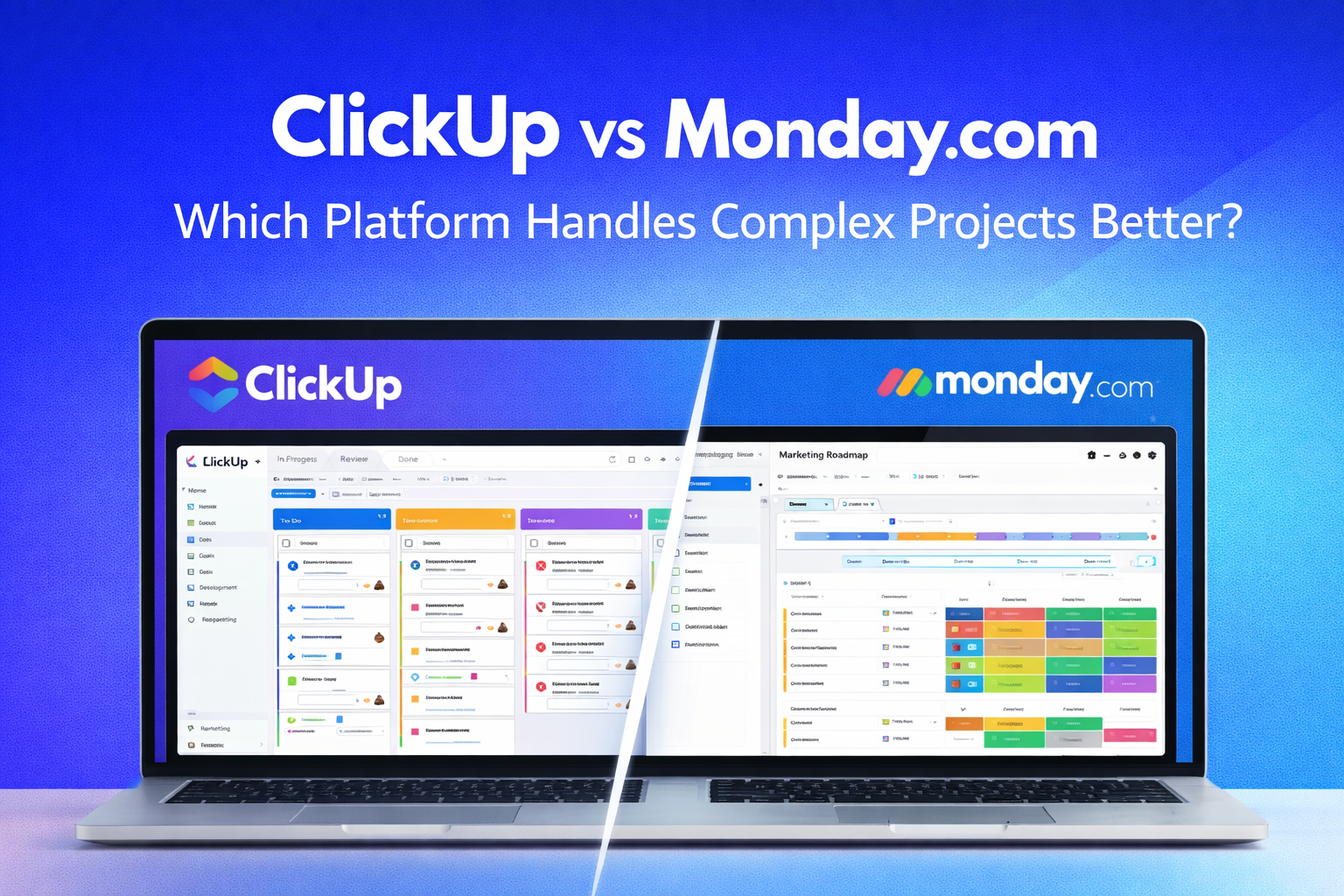
ClickUp and Monday.com occupy similar positions in the project management market — both promise more flexibility and more customization than Asana’s more opinionated structure, both have invested heavily in automation systems that reduce manual coordination overhead, and both target teams that have outgrown simpler tools without needing the enterprise complexity of Salesforce-level project management platforms. The similarity in positioning makes the comparison between them more useful than it might initially appear — because despite the surface resemblance, the two platforms are built differently enough that the right choice between them is usually clear once the comparison is examined at the level of how each platform actually works rather than what each platform claims.
This comparison focuses specifically on complex project management — the scenarios where teams are managing work with meaningful dependencies, multiple concurrent workstreams, diverse team members with different workflow needs, and reporting requirements that go beyond basic task completion tracking. Simple project management scenarios don’t meaningfully differentiate the two platforms. Complex ones do.
The Fundamental Architectural Difference
Before comparing features, understanding the architectural difference between the two platforms explains why the feature comparison produces the results it does rather than requiring each result to be explained independently.
ClickUp organizes work in a hierarchy — Workspace, Space, Folder, List, Task, Subtask — where each level inherits and can override settings from the level above. This hierarchical architecture is designed for organizing complex work across an entire organization rather than just individual projects. A business with a marketing team, a development team, and a client services team can create separate Spaces for each team, with each Space having its own statuses, custom fields, and view configurations that reflect the specific workflows of that team, all within a single ClickUp workspace.
Monday.com organizes work around boards — individual tables of items with customizable columns — that can be connected through cross-board relations and linked in dashboards. The board architecture is designed for flexibility within individual workflows rather than organizational hierarchy. Each board is self-contained with its own column structure, and boards connect to each other through explicit relations rather than through an inherited hierarchy. This architecture produces excellent individual workflow customization but requires more deliberate connection work to produce organizational-level visibility.
The architectural difference has a practical consequence for complex project management. ClickUp’s hierarchy makes it easier to apply consistent organizational structures across multiple teams simultaneously. Monday.com’s board structure makes it easier to build highly customized workflows for individual teams without those customizations affecting other teams. Which architecture serves a specific business better depends on whether cross-team organizational consistency or individual team workflow optimization is the higher priority.
Handling Complex Projects: The Specific Scenarios That Matter
The abstract comparison between architectures becomes concrete when applied to the specific scenarios that complex project management actually involves.
Managing projects with many dependencies is the scenario most likely to produce different outcomes on the two platforms. ClickUp’s dependency system allows marking tasks as waiting on, blocking, or linked to other tasks, with a dependency view that shows the dependency network visually and surfaces blocked tasks in a dedicated view. The implementation is functional and covers most dependency management scenarios adequately. Monday.com’s dependency column links items within a board to show sequencing relationships, with a timeline view that visualizes the dependencies and automatically highlights the impact of date changes on dependent items. The Monday.com dependency visualization in the timeline view is more polished — the connecting lines between dependent items are clearer and the automatic downstream impact highlighting is more intuitive — but ClickUp’s cross-list dependencies, which allow dependencies between tasks in different lists, are more flexible for complex projects where related work spans multiple project areas.
Managing work across multiple teams simultaneously is the scenario where ClickUp’s hierarchical architecture most clearly produces an advantage. A project that requires contributions from engineering, design, and marketing simultaneously can be organized in ClickUp as a Space with Folders for each team’s workstream, with tasks assigned to team members in their respective Folders and a portfolio-level dashboard showing overall project status. The hierarchy produces organizational clarity that cross-board connections in Monday.com approximate with more manual connection work. Monday.com’s equivalent approach — separate boards for each team’s workstream with a connected dashboard — works, but the connection setup is more elaborate than ClickUp’s native hierarchy.
Managing projects with diverse team members who have different workflow preferences is the scenario where Monday.com’s per-board flexibility produces an advantage over ClickUp’s more consistent hierarchy. Each Monday.com board can have completely different column structures, status labels, and view configurations that reflect the specific workflow of the team using that board. A marketing campaign board can have columns for budget, target audience, and campaign objective that a software sprint board doesn’t have, without requiring any configuration compromise between the two boards. In ClickUp, while custom fields and statuses can vary by list and space, the hierarchical inheritance creates more interdependency between configurations that teams with very different workflow needs sometimes find constraining.
Automation: The Most Important Feature for Complex Projects
Automation is more important for complex project management than for simple project management because the coordination overhead that automation reduces is proportional to project complexity — more tasks, more dependencies, more team members, and more stakeholder communications all create more repetitive coordination work that automation can eliminate.
Monday.com’s automation system is the more intuitive of the two for non-technical users building automations for the first time. The conversational “When X happens, then do Y” interface produces working automations in minutes for common scenarios. The trigger variety covers the most common automation needs — status changes, date arrivals, item creation, column value changes — and the action library covers notifications, item creation, status updates, and integration actions with connected tools. For teams building their first automations, Monday.com’s builder produces faster time-to-working-automation than ClickUp’s.
ClickUp’s automation system is more powerful in the specific sense that it handles more complex conditional logic and covers more trigger types than Monday.com’s builder. Multiple conditions per automation — where the automation only fires when two or more conditions are simultaneously true — is more naturally expressed in ClickUp’s automation builder than in Monday.com’s simpler trigger structure. For teams building sophisticated automations that involve complex conditional logic, ClickUp’s builder handles scenarios that Monday.com’s builder can’t express as cleanly.
The automation volume limits favor ClickUp at every comparable price tier. ClickUp Business at $12 per user per month includes unlimited automations. Monday.com Standard at $12 per user per month includes 250 automation actions per month, and Monday.com Pro at $19 per user per month includes 25,000 automation actions per month. For teams running extensive automations, ClickUp’s unlimited automation on the Business plan is a meaningful cost advantage over Monday.com’s volume-limited plans.
Reporting and Dashboards: Different Approaches, Different Strengths
Both platforms provide dashboard reporting that aggregates project data into visual summaries, but the approach to dashboard building reflects the same architectural difference that shapes the rest of the comparison.
ClickUp’s dashboards are built by adding widgets that display data from any List, Folder, or Space in the workspace hierarchy. The widget library covers charts, tables, task lists, time tracking summaries, goal progress indicators, and custom embed widgets. For teams that need dashboards showing data across multiple Spaces — engineering project status alongside marketing campaign progress alongside client services deliverable tracking — ClickUp’s hierarchical data access produces dashboards that span organizational boundaries naturally.
Monday.com’s dashboards are built from widgets that pull data from selected boards. The widget library is comparable in breadth to ClickUp’s — charts, numbers, timelines, and tables are all available — but the data scope is board-based rather than hierarchical. For teams that need dashboards spanning multiple boards, Monday.com’s dashboard builder requires explicitly selecting each source board rather than selecting from a hierarchy that already organizes the relevant data. The result is equivalent but requires more setup for cross-team reporting scenarios.
The chart customization in Monday.com is more flexible than ClickUp’s — axis configuration, grouping options, and chart type selection allow building more specifically tailored visualizations than ClickUp’s more standardized chart widgets. For teams that need specific reporting formats — not just project status summaries but custom data visualizations that reflect specific business metrics — Monday.com’s chart flexibility produces more tailored outputs.
The Views Comparison: Both Strong, Different Emphases
Both platforms offer multiple ways to view project data — list, board, timeline, calendar, and chart views are available on paid plans of both tools. The comparison at the view level produces a result that favors Monday.com on individual view polish and ClickUp on view variety.
ClickUp offers more view types than Monday.com — the Mind Map view for visual brainstorming, the Whiteboard view for collaborative planning, and the Chat view for contextual discussion are available in ClickUp without equivalents in Monday.com. For teams that use diverse view types across different workflow phases, ClickUp’s broader view library reduces the need for separate tools for each type of visual work.
Monday.com’s timeline view is more polished than ClickUp’s — the visual clarity of the Gantt representation, the smoothness of the dependency line rendering, and the intuitive drag-to-reschedule interaction are all more refined in Monday.com’s timeline than in ClickUp’s equivalent view. For teams that use timeline view heavily for project planning and communication with stakeholders, Monday.com’s more polished execution is a meaningful quality difference.
The board view — the Kanban-style card layout — is comparable between the two platforms for standard usage, with Monday.com’s card design being slightly more visually polished and ClickUp’s card customization options being slightly more extensive. Neither advantage is significant enough to drive the platform decision based on board view alone.
Integrations: Comparable Breadth, Different Depth
Both platforms integrate with the major business tools — Slack, Google Workspace, Microsoft 365, Zoom, GitHub, Salesforce, HubSpot — and the comparison at the level of common tools produces no meaningful winner for most teams.
The depth of specific integrations matters for teams whose workflow depends heavily on a specific connected tool. ClickUp’s GitHub integration — linking GitHub commits, branches, and pull requests to ClickUp tasks — is more deeply implemented than Monday.com’s, which matters for development teams that want to track code changes directly against project tasks. Monday.com’s Salesforce integration — bidirectional sync between Monday.com boards and Salesforce CRM records — is more configurable than ClickUp’s equivalent, which matters for sales operations teams managing project work alongside CRM activities.
The Zapier and Make integration libraries for both platforms are extensive enough that specific integration gaps can almost always be addressed through automation platforms. For teams with integration requirements beyond what either platform’s native library covers, the quality of the third-party automation platform integration is comparable between the two tools.
Pricing: ClickUp’s Clear Advantage
The pricing comparison between ClickUp and Monday.com produces the clearest winner of any dimension in this comparison, and the winner is ClickUp at every tier.
At the free tier, ClickUp’s Free Forever plan provides unlimited members and unlimited tasks. Monday.com’s free plan covers up to two seats — effectively limiting it to individual evaluation use rather than team use.
At the first paid tier, ClickUp Unlimited at $7 per user per month provides unlimited storage, unlimited integrations, and unlimited dashboards. Monday.com Basic at $9 per user per month provides comparable base functionality at 29% higher per-seat cost with the three-seat minimum adding to the effective cost for small teams.
At the mid tier, ClickUp Business at $12 per user per month provides advanced automation, time tracking, and workload management with unlimited automation actions. Monday.com Pro at $19 per user per month provides comparable advanced functionality at 58% higher per-seat cost. For a ten-person team, the annual difference between ClickUp Business and Monday.com Pro is $840 — a real budget consideration.
The pricing advantage ClickUp holds at every tier is consistent and significant enough to be the tie-breaker for teams whose feature evaluation produces no clear winner between the two platforms. When the feature comparison is close, ClickUp’s lower pricing makes it the rational choice.
The Direct Recommendation for Complex Projects
The direct recommendation between ClickUp and Monday.com for complex project management depends on two variables that most teams can assess quickly.
Choose ClickUp for complex projects if cross-team organizational consistency is important — if the business needs a single coherent workspace where multiple teams work within a shared hierarchy rather than across disconnected boards. Choose ClickUp if automation volume is a genuine operational requirement and the unlimited automation on the Business plan is a meaningful cost advantage over Monday.com’s volume-limited plans. Choose ClickUp if the everything-in-one consolidation — replacing project management, docs, time tracking, and goals with a single platform — is a genuine goal rather than a theoretical aspiration.
Choose Monday.com for complex projects if individual team workflow customization is more important than organizational hierarchy — if different teams need genuinely different work management systems and the board-per-team model is more natural than the hierarchy-per-team model. Choose Monday.com if the timeline view’s more polished dependency visualization is important for project planning communication with stakeholders. Choose Monday.com if the team is less technically experienced and the automation builder’s more intuitive interface produces faster automation adoption than ClickUp’s more powerful but more complex builder.
The teams for whom the choice remains genuinely difficult after applying these criteria are those with mixed requirements — organizational hierarchy needs that favor ClickUp alongside individual workflow customization needs that favor Monday.com. For those teams, the decision often comes down to which missing capability is more painful to work around in practice. Our ClickUp review covers the hierarchy system in detail for teams trying to assess whether ClickUp’s organizational structure would solve the cross-team visibility problems that Monday.com’s board-based model leaves unaddressed.
The Part Worth Saying Directly
Both platforms are capable enough to manage complex projects successfully. The teams that struggle with either platform in complex project scenarios are almost always teams that deployed the tool without investing in the architecture design and automation building that complex project management requires — not teams that chose the wrong platform.
A well-configured ClickUp workspace and a well-configured Monday.com workspace both produce capable complex project management systems. The configuration investment is real and required for both. The team that invests in that configuration produces outcomes that justify the subscription cost. The team that deploys either platform without that investment finds a tool that looks sophisticated and functions like an expensive to-do list.
Managing genuinely complex projects with multiple teams or workstreams and finding that your current project management tool isn’t keeping up — or choosing between ClickUp and Monday.com specifically and stuck on a particular feature or workflow requirement? Leave a comment with the specific project complexity you’re trying to manage and we’ll help you figure out which platform’s architecture handles it better.